Self Help
Hub: Unified End User Widget
Overview
Hub combines Self Help and Task List into a single widget. This makes it easier for end users to access Self Help (Explorer), completed assigned Tasks, provide Feedback, and access your Chatbot. Users now interact with one Floating Action Button (FAB) to open the unified Hub panel.
Introducing: Unified Hub Experience
Hub is a Beta feature. To enable this feature for your account, contact support@whatfix.com.
This article explains:
Key benefits
- One widget, unified experience
Previously, Self Help and Task List were separate widgets. Now, Task List is a tab within the unified Hub widget, freeing up screen space and providing users a single, predictable entry point for your in-app Whatfix guidance.
- Clearer navigation for end users
Consistent access to Explorer, Task List, Feedback, and Chatbot from a single FAB, improving discoverability and overall user engagement.
- Better visibility into pending tasks
Task List Status filters enable users to view All, To do, and Completed tasks with real-time status updates — increasing awareness of pending tasks and driving better task management.
What’s New in Hub?
Task List now appears as a new tab within Self Help. Self Help (Explorer), Feedback, and Chatbot remain unchanged.
-
One FAB for Everything (New Unified Access Point)
A single FAB opens the unified Hub panel, which contains both Self Help and Task List.  2. #### Tabbed Panel Structure (New Layout)
The Hub has a four-tab layout to organize end user experiences.
Previous Tabs:
- Explorer
- Feedback
- Chatbot
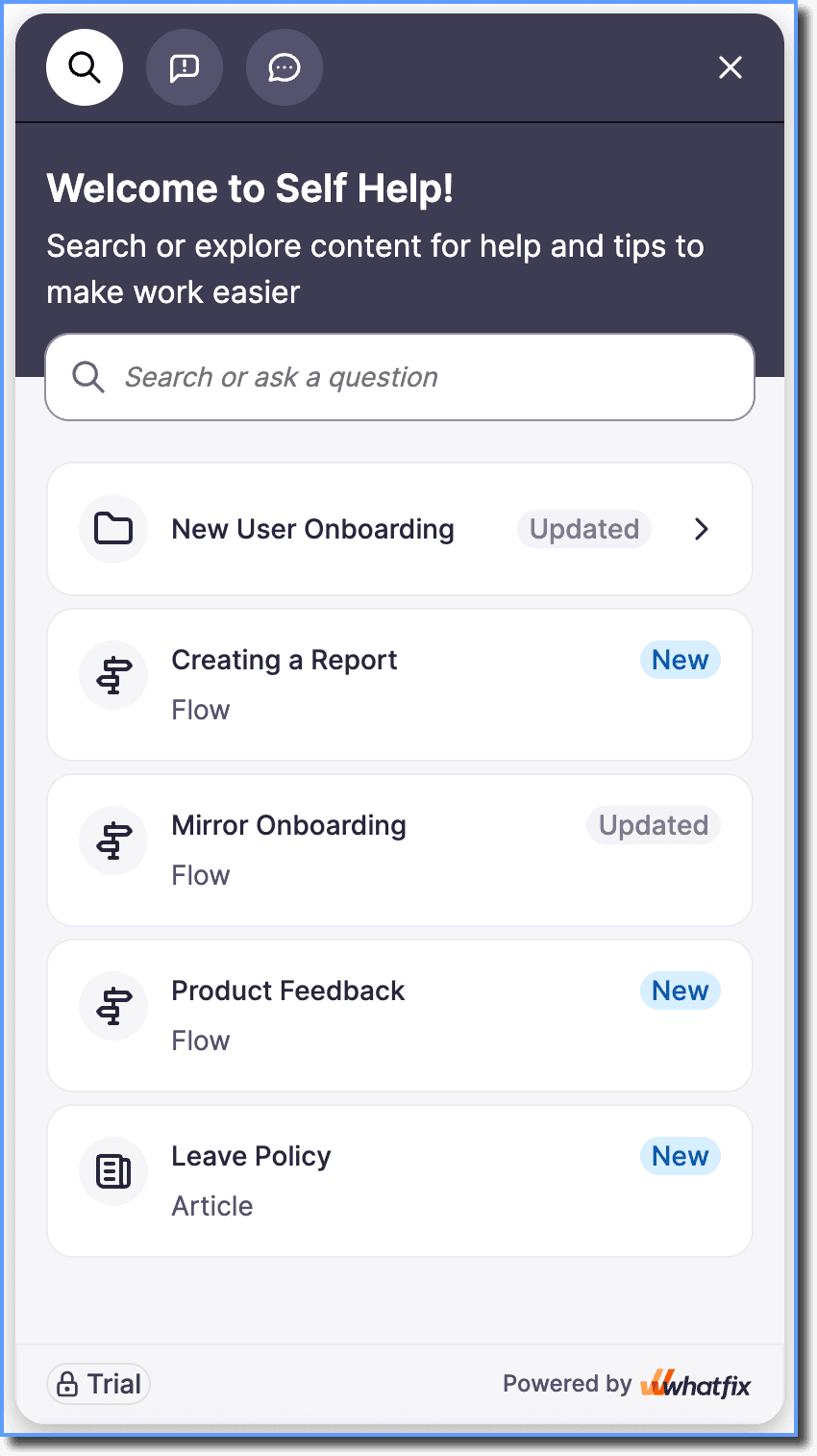
To enable Feedback and Chatbot, see Configure feedback in Improved Self Help and Integrate Chatbot in Improved Self Help.
New Tab:
- Task List
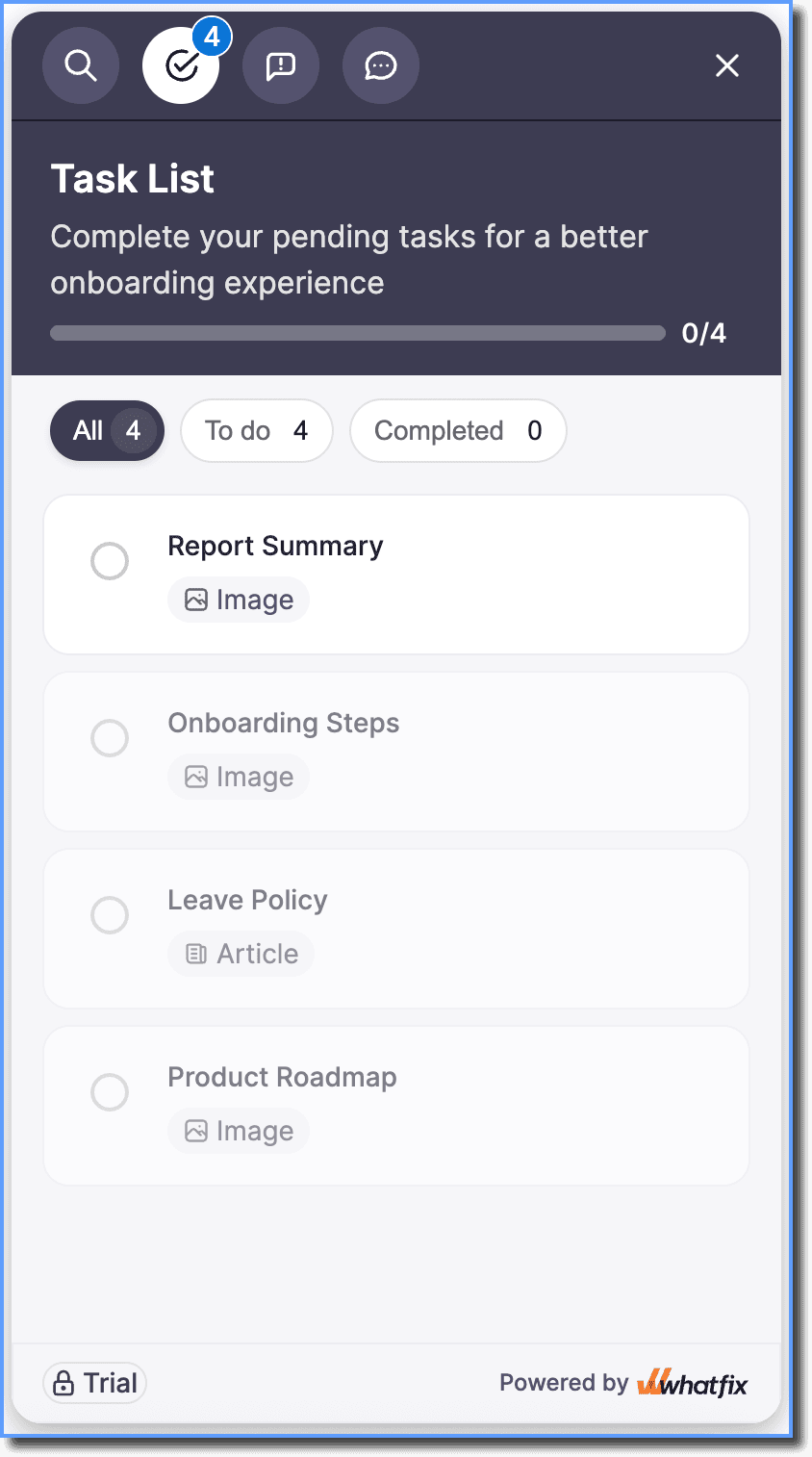
- In the Style section, Task List configurations such as Task Progress, Sequential Tasks, and Header Text, remain available. To learn more, see the Configure Task List in Hub accordion in Configure Task List.
- However, Task List Style configurations no longer control:
Changes to these settings do not affect the Hub widget.
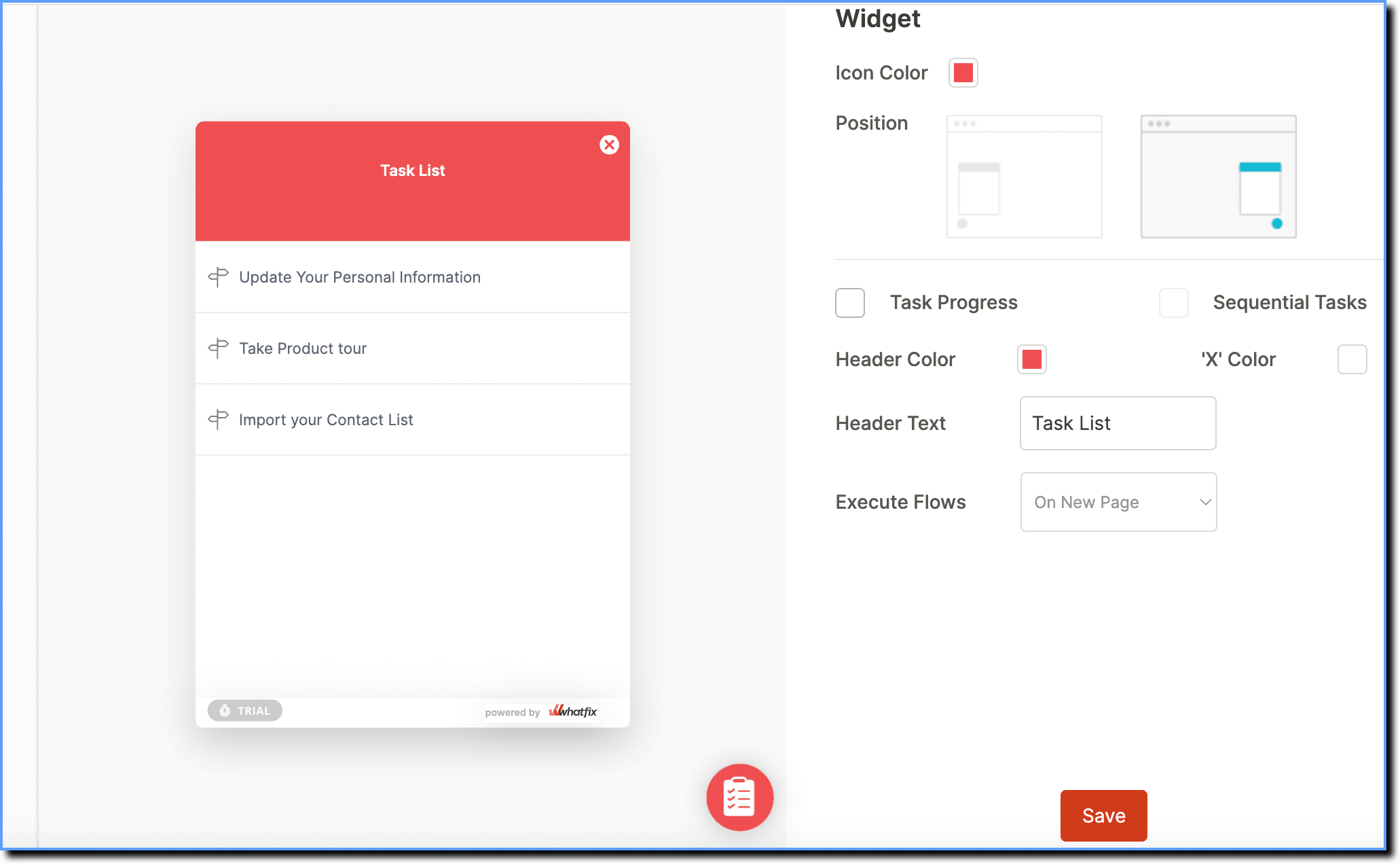
Instead, the following Self Help configurations under the Style section apply to the unified Hub widget, including the Task List tab:
For more information, see Configure Self Help.
- Icon Color
- Position
- Header Color
- “X” Color
- Execute Flows
- Customisations: The Header, Panel, and FAB settings control the appearance of the Hub widget.
- Interaction: Execute Flows controls the behavior of Flows launched from Task Lists.
-
New Task List Tab Experience
The new Task List provides an improved experience, making it easier for your users to view, track, and complete assigned tasks.
Here’s the list of Task List enhancements:
- Notification counts for pending tasks appear on the FAB and on the Task List icon in the Hub panel.
FAB:
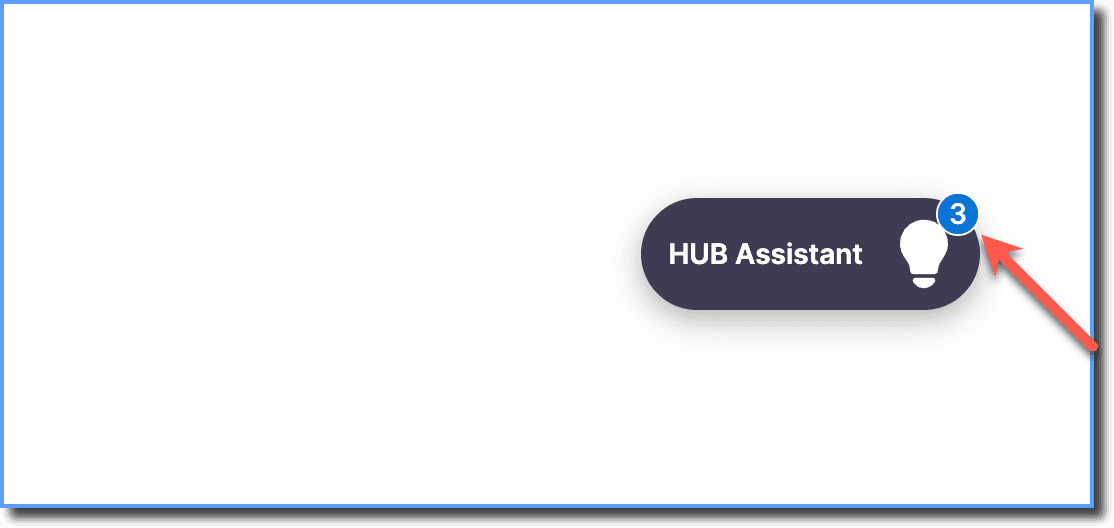
Panel: 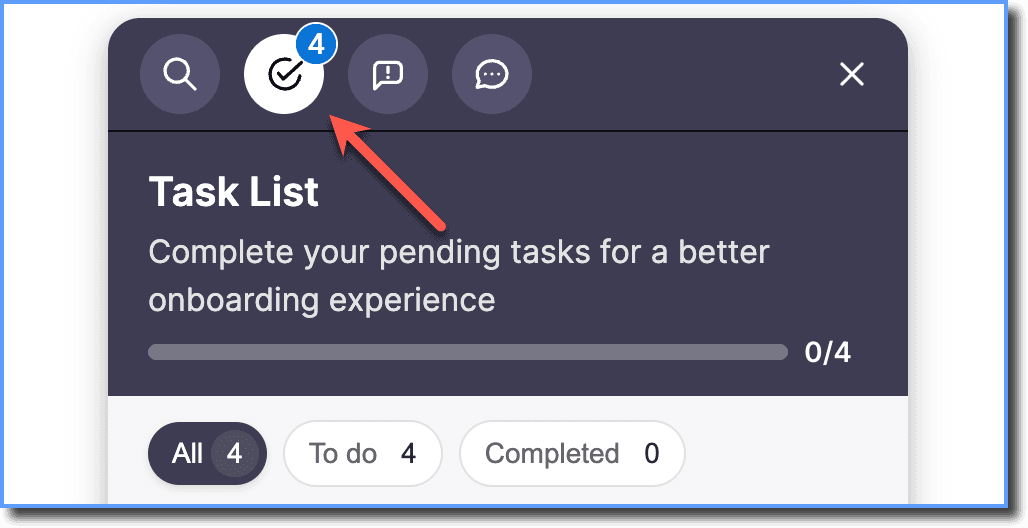
- Enhanced progress indicator is a progress bar which shows count of completed and total tasks in the Task List tab.
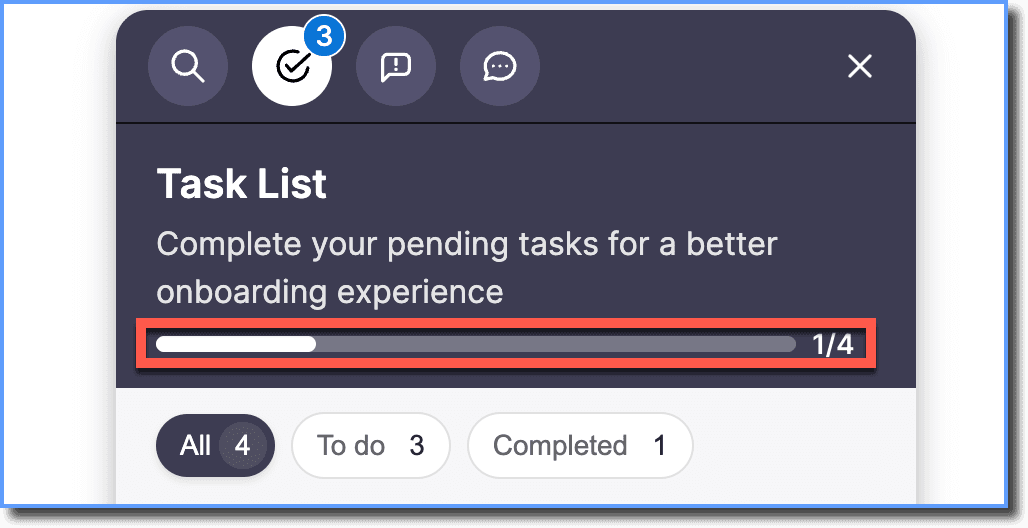
- Task status filters enable you to filter All, To do, and Completed tasks along with task counts. Task status updates instantly.
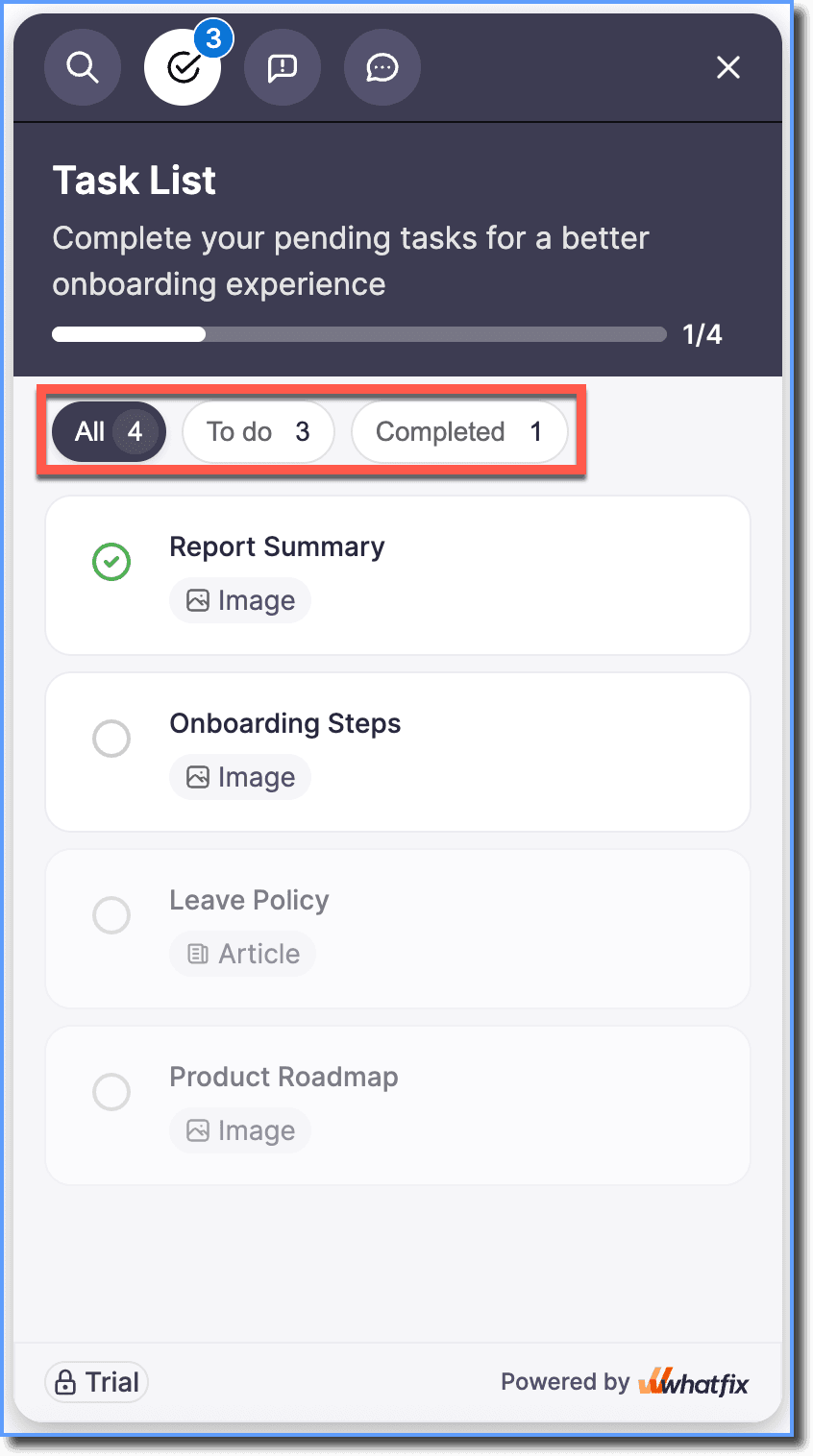
To learn more, see Tasks on Hub.
To understand how Hub evaluates Nudges configured for Self Help and Task List segments, see Prioritization of Self Help and Task List Nudges on Hub.