Survey
Delete a Survey question
Whatfix enables deletion of survey questions to re-adjust the surveys for your end users.
- Delete a Survey question only in the Draft and Ready stages.
- Edit a Survey only in the Draft and Ready stages.
- As part of the Premium plan, you can edit, delete, add, and reorder questions in a survey. For more information, see Whatfix Pricing.
Use the following steps to delete a Survey question:
-
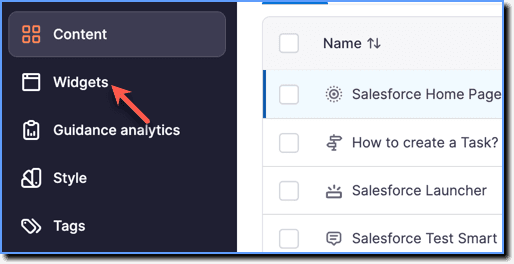
On the Whatfix Guidance dashboard, click Widgets.
-
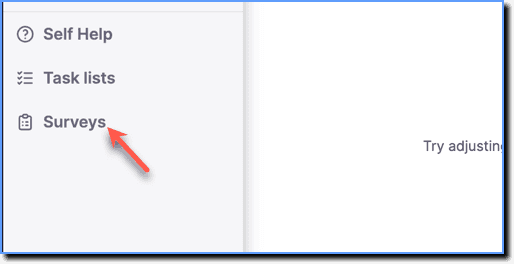
Click Surveys.
-
Hover your cursor over the required Survey, and then click the Edit icon.

-
Hover your cursor over the required question, and then click the Delete icon.
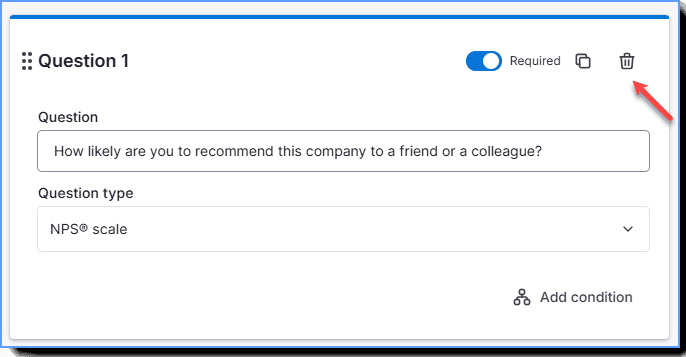
If you delete a question that has a condition attached to it, all the conditions you have added to the Survey gets deleted.