Smart Tips
Delete Smart Tips
- Whatfix evaluates only one Smart Tip Collection per page at any given time. To show two or more Smart Tips on the same page, create them as part of a single Collection.
- Whatfix also enables you to display multiple Smart Tip Collections on the same page. To enable this feature, contact support@whatfix.com.
Whatfix enables you to delete Smart Tips that are no longer useful. Delete a single Tip from the Smart Tip collection or the entire Smart Tip collection.
Note:
- You can only delete Whatfix content and widgets in the Draft and Ready stages.
- When a copy of your content in Draft or Ready also exists in Production, deleting the Draft or Ready version does not affect the content in Production.
Delete a Smart Tip from a Collection
Use the following steps to delete one or more Smart Tips from a Smart Tip Collection:
-
On the Whatfix Guidance dashboard, click Content.

-
Click Smart-tips.

-
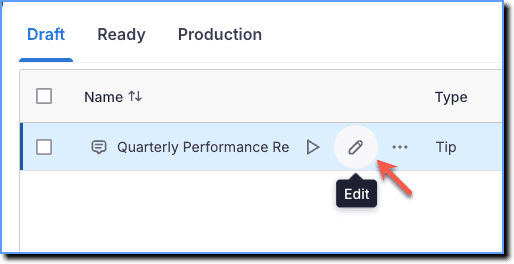
Hover your cursor over the Smart Tip collection you want to edit, and then click the Edit icon.
-
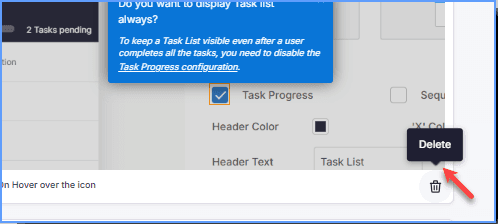
Go to the Smart Tip that you want to delete, and then click the Delete icon.
-
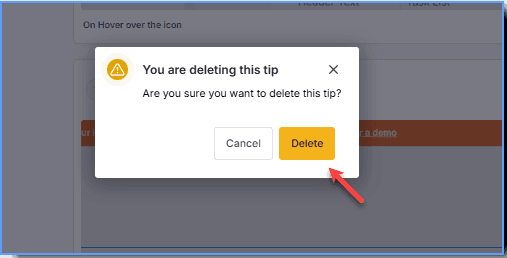
On the dialog box, click Delete.
-
Click Save.
You also have the option to delete any content at the Studio level in Launch live edit setting.
Delete a Smart Tip Collection
Use the following steps to delete a complete Smart Tip Collection:
-
On the Whatfix Guidance dashboard, click Content.
-
Click Smart-tips.
-
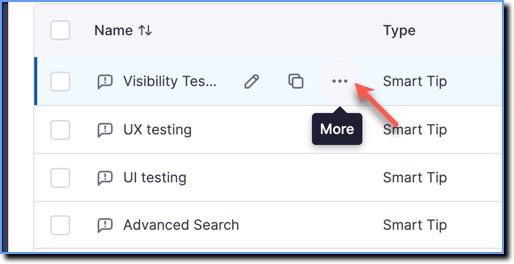
Hover your cursor over the Smart Tip collection you want to delete, and then click the More icon.
-
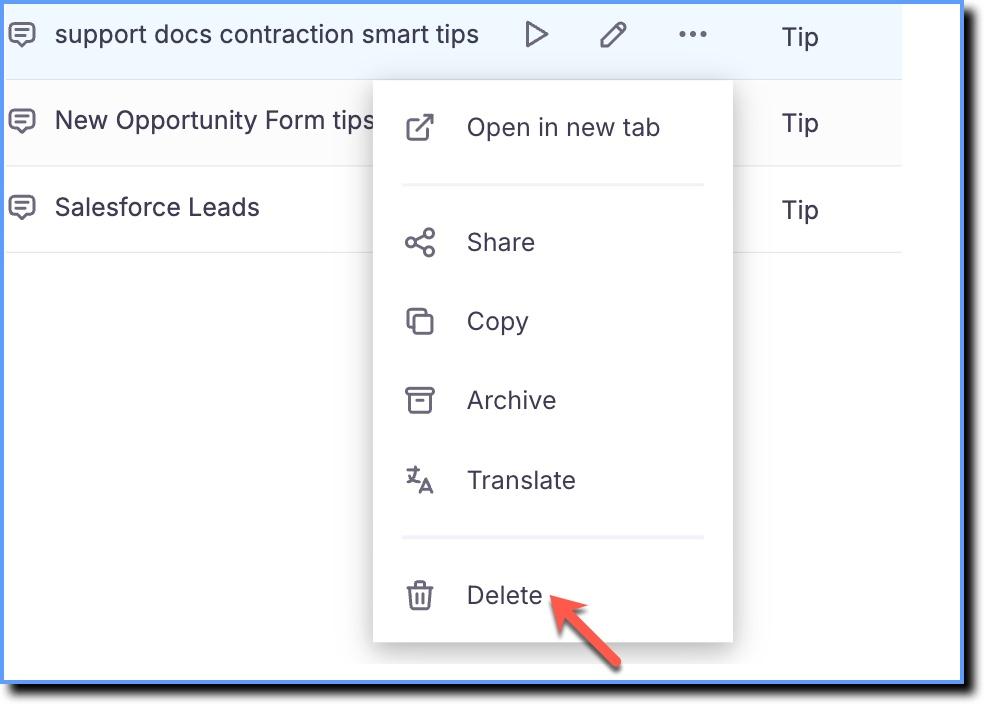
Click Delete.
-
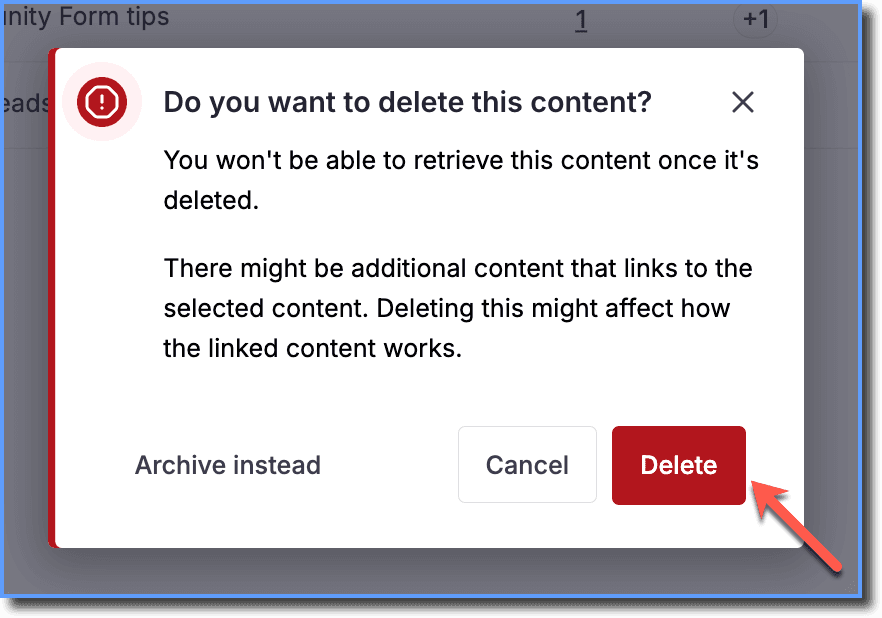
In the confirmation dialog box, click Delete.
Delete Multiple Smart Tip Collections
Use the following steps to delete multiple Smart Tips segments:
-
On the Whatfix Guidance dashboard, click Content.
-
Click Smart-tips.
-
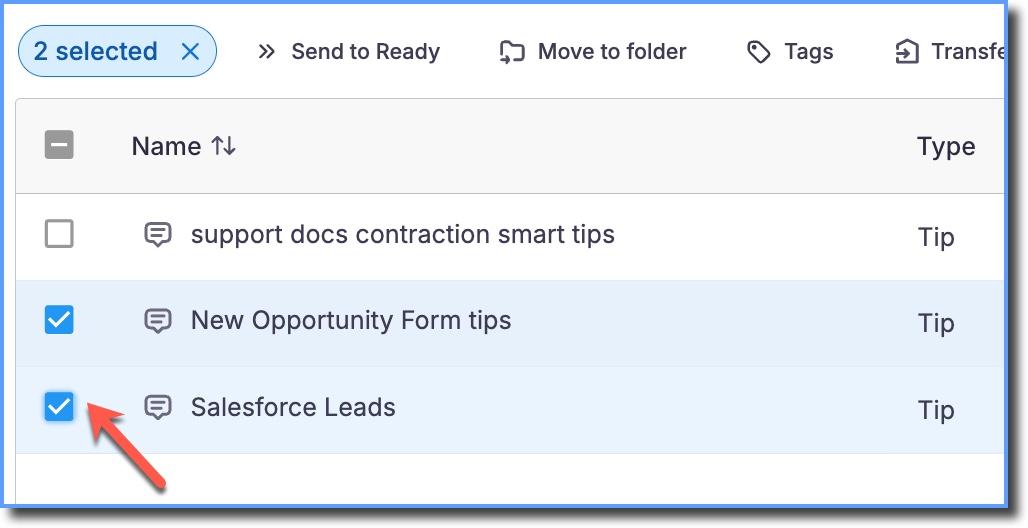
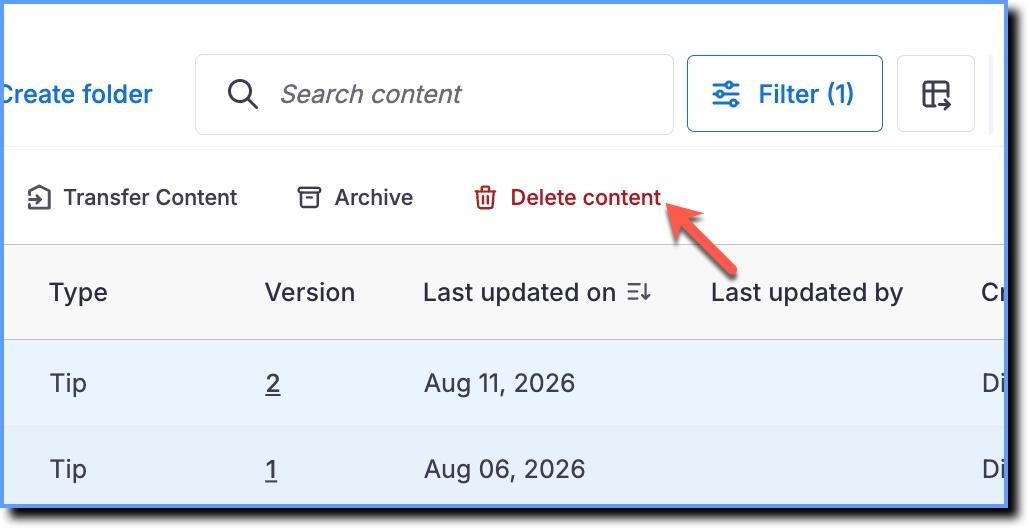
Select the Smart Tip Collections that you want to delete.
-
Click Delete content.
-
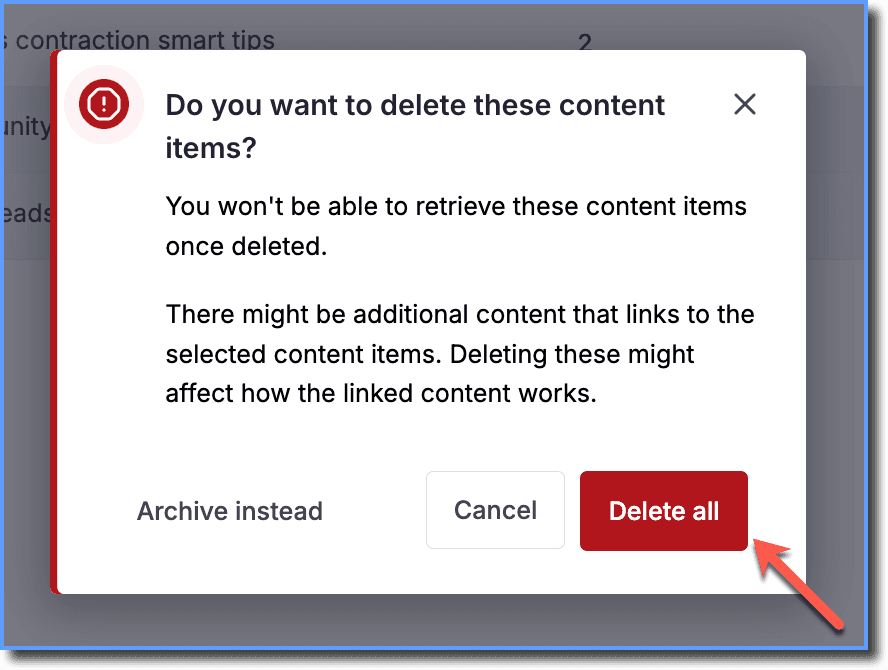
In the confirmation dialogue box, click Delete all.