Manage Whatfix Content and Widgets
Create a copy of Whatfix content
copy flow, smart tip, link, video, article, beacon, popup, launcher, survey, self help, task list
Whatfix enables you to copy existing content. Editing a copy does not impact the original content.
Use this functionality to create new content that is similar to an existing piece. For example, to create a Pop-up that is the same as an existing one, copy the original and then edit the new version.
Use the following steps to create a copy of a Whatfix content:
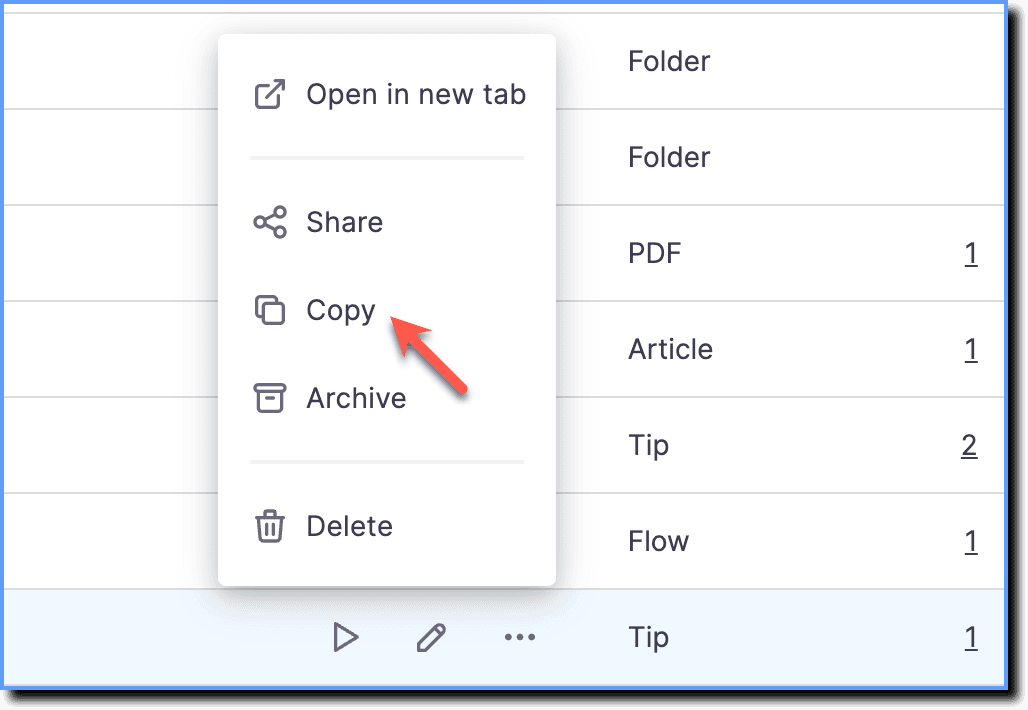
- On the Whatfix Dashboard, hover your cursor over the Whatfix content or widget you want to copy and then click the More icon.

- Click Copy.
Note
- The copy of the Whatfix content or widget is created with the title: Copy of <Content Title>.

- Whatfix content can be copied in Draft, Ready, Production, and the Archived section.