Manage Whatfix Content and Widgets
Create a copy of Whatfix Widget
Whatfix enables you to copy existing widgets. Editing a copy does not impact the original content.
This feature is useful if you want to create new widgets similar to the existing ones. For example, create a Pop-up that looks similar to an existing one, then copy the existing Pop-up and edit the copied Pop-up.
The copy of the Whatfix widget is created with the title: Copy of <Widget Title>.

Use the following steps to create a copy of a Whatfix widget:
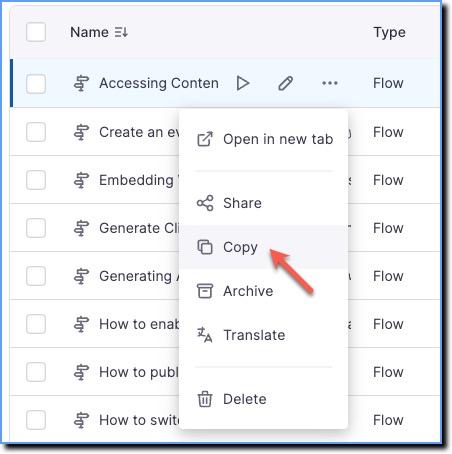
- On the Whatfix Dashboard, hover your cursor over the Whatfix content or widget you want to copy and then click the More icon.
 2. Click Copy.
Whatfix widgets can be copied in the Draft, Ready, Production, and Archived section.