Dashboard
Unable to move a content or widget across stages
Issue
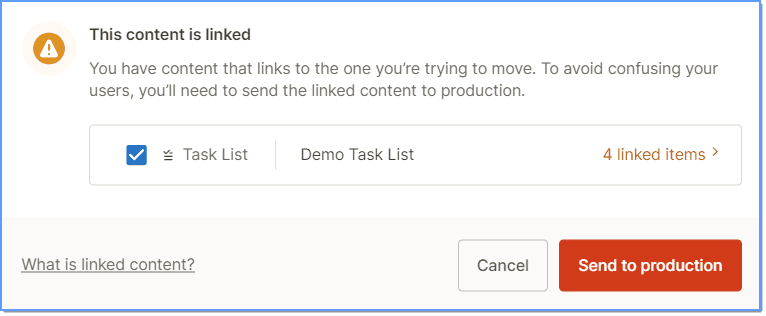
When you try to move content or widgets across stages, the action fails and you see the following error message: 
Probable Causes
- The content that you are trying to move is part of an existing widget.
- Unstable network or internet connectivity issues prevent movement of content or widgets across stages.
Suggested Solutions
- Consider a Flow (content) attached to a Pop-up (widget) in the Production Stage. When attempting to move the Flow back to the Draft Stage, a message appears indicating that the Flow is associated with a Pop-up in the Production Stage. Clicking Send to draft moves the Pop-up to the Draft Stage along with the Flow.

- Similarly, if a Task List (widget) contains content attached to it in the Production Stage, a message appears indicating that some content is associated with the Task List. Clicking Send to production moves all content along with the Task List to the Production Stage.
- Check your internet connection and try again.
For more information, see Can I move Contents/Widgets that are attached to another Content/Widget across stages?
Note:
If the issue persists, contact suport@whatfix.com.