Flows: Flow Level Configuration
Get Flow Feedback using Star rating in Flow End Message
Note:
To enable the Star rating feature for your account, contact support@whatfix.com.
Whatfix enables you to request for Flow Feedback when you want to analyze how helpful the Flow was for your end users. End users can provide feedback using a 5-star rating or input comments in a text format.
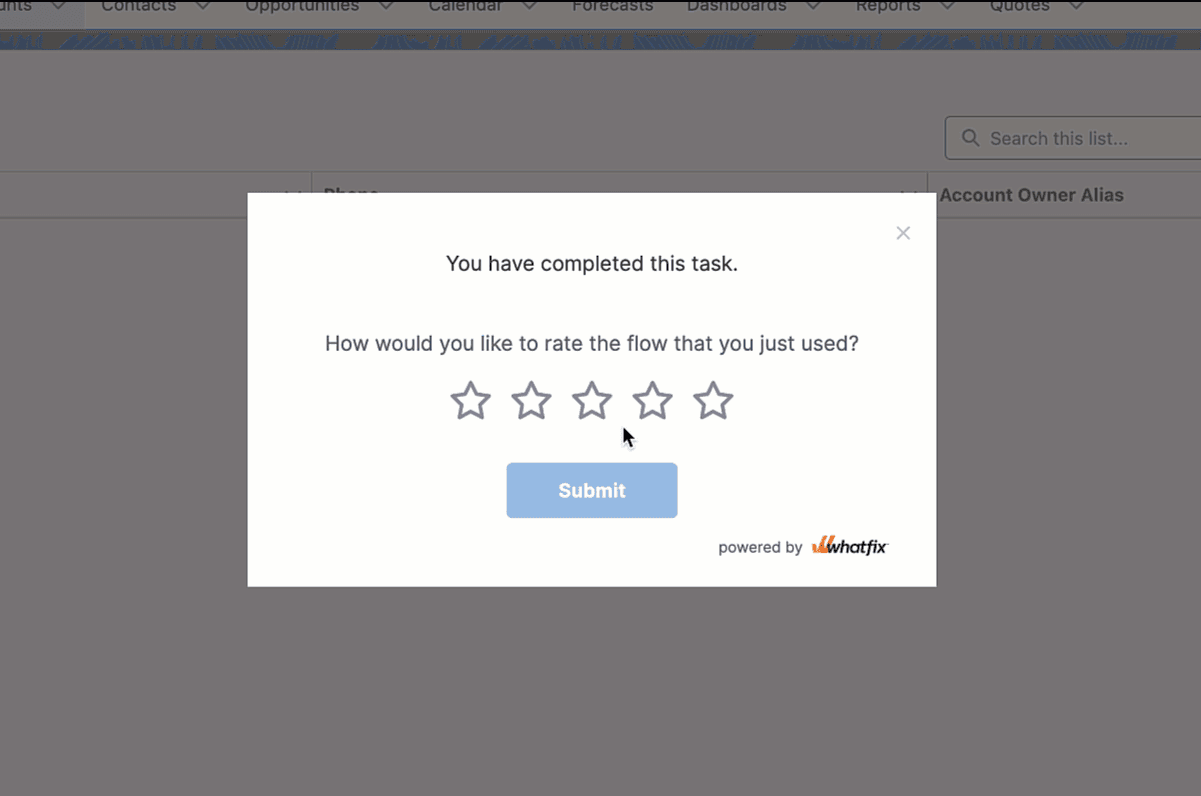
Enable Star rating feature for Flow Feedback
Use the following steps to configure the Star rating feature on the Whatfix Dashboard:
-
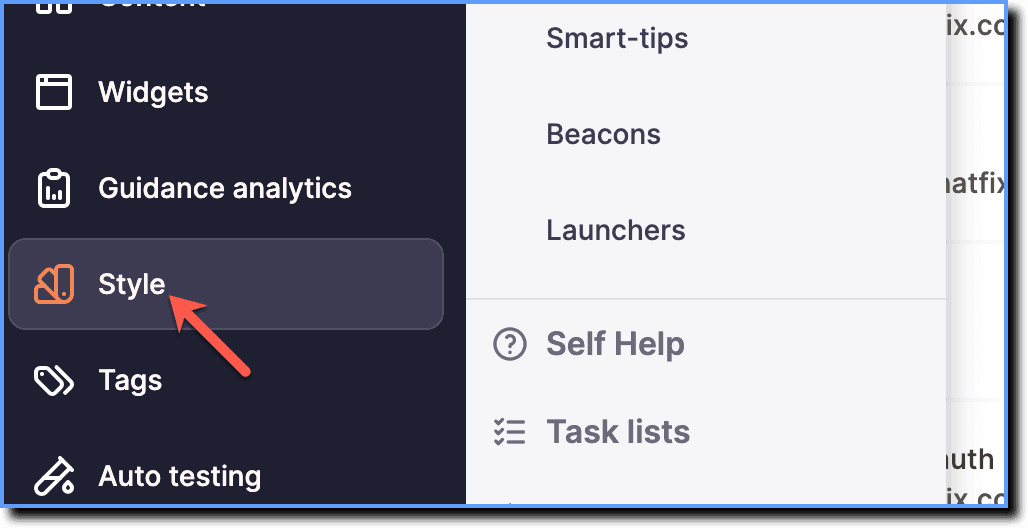
On the Whatfix Guidance dashboard, click Style.
-
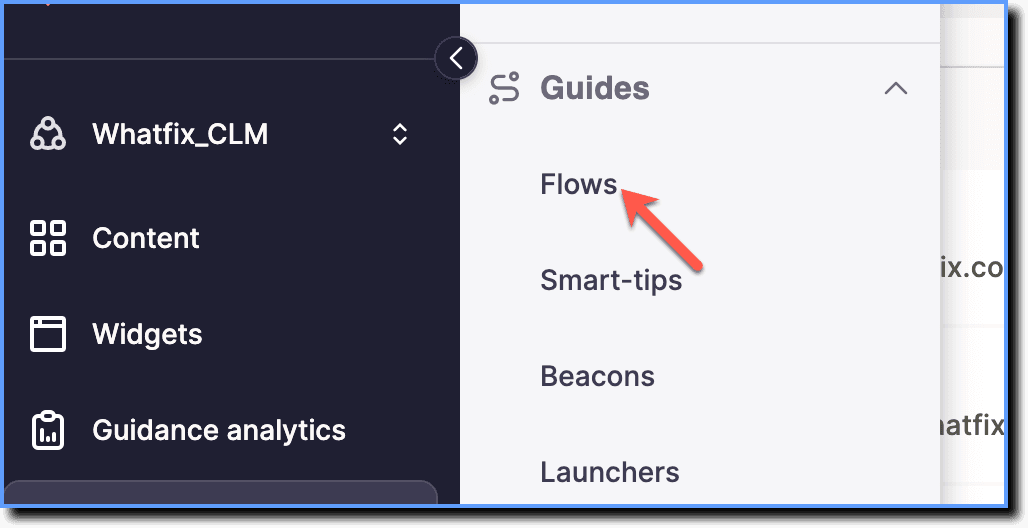
Click Flows.
-
Click the End Message tab.

-
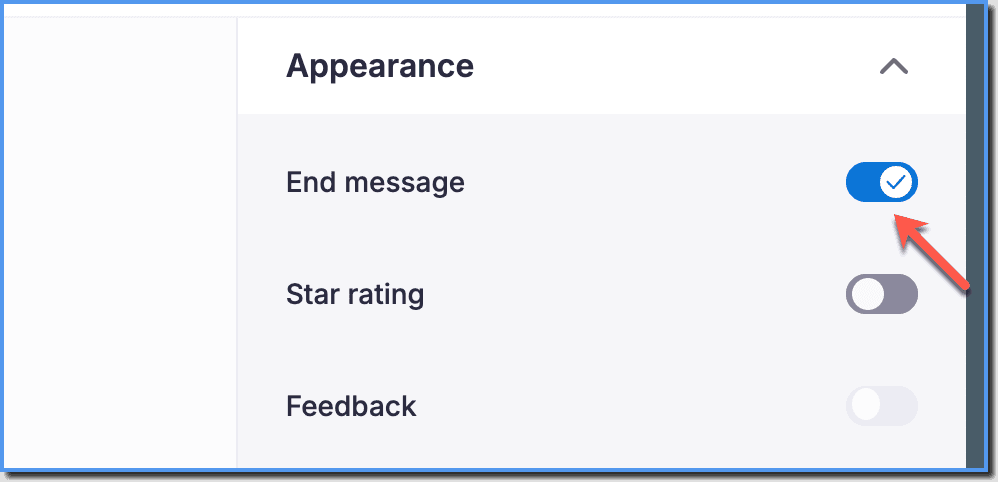
Enable the End Message toggle.
-
Enable the Star rating toggle.
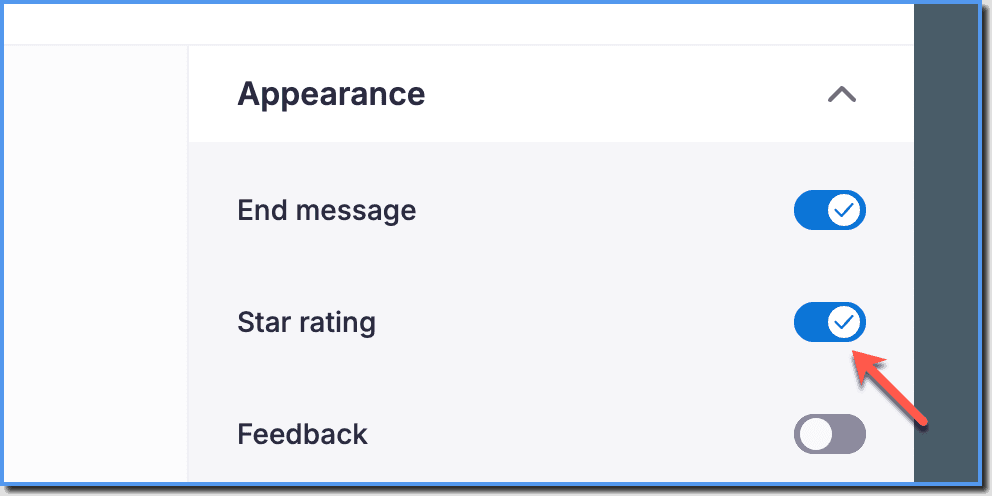
-
Make the following configurations:
- Feedback: Enable or disable feedback for the rating.
- Header Text: Select font size, color, style, and alignment of the header text.
- Text: Select font size, color, style, and alignment of the description text.
- 'X' on pop-up: Enable or disable X icon on the pop-up.
- 'X' Color: Configure the color of the X icon.
- Star color: Configure the color of the stars.
- Button color: Configure the button color.
- Button text color: Configure the text color of the button.

- Click Save to save the changes.
Note:
If you click Discard changes, all the modifications you've made to the content will be lost, and the page will revert to its previous saved state.
Info:
- The above configuration is global and applies to all the Flows.
- In case you want to disable the end message for a particular Flow, see Disable the End message of a Flow.
Note:
To disable Star rating from your account, contact support@whatfix.com.