Flows: Step Level Configuration
Free-floating steps in Flows
Flows with Free-floating steps is in Beta currently. Contact [support@whatfix.com](mailto:support@whatfix.com ?subject=Enable%20Flows%20with%20Free-floating%20steps%20&body=Hi%0A%0ACould%20you%20please%20enable%20the%20Flows%20with%20Free-floating%20steps%20on%20my%20ENT.%0A%0AThanks%0A) to enable the feature.
Overview
A Free-floating Flow step is a distinct type of guidance step, which does not attach to any specific on-screen element. It functions as a customizable dialog box that you can position flexibly.
The Flow step enables information delivery or prompt interaction independent of the application’s interface. For instance, consider you need to announce important details about a feature before users explore it step-by-step, and no element selection is required, use a Free-floating step type in Flows.
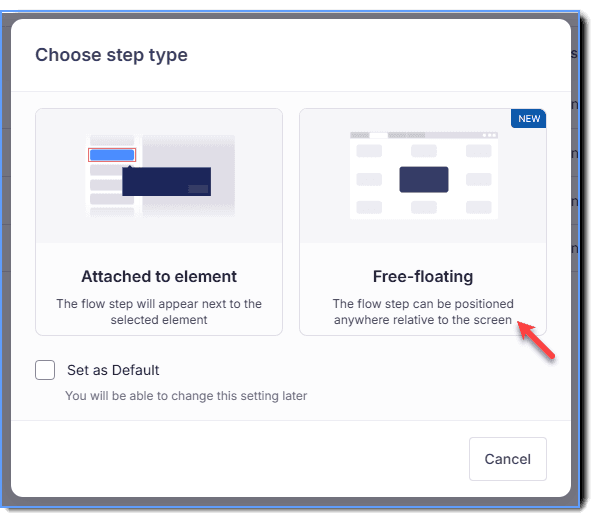
- Here’s how you a Free-floating step type appears on an application.

- The default position of the Free-floating step type is always at the center of the page on your application. You can use any of the 9 positions on Studio to flexibly position the tooltip on the page for your end users.
Example use cases
Here are specific use cases for using individual Free-floating steps:
- Initial welcome and/or onboarding: Present a clean, central welcome message step when a user starts a Flow.
- Contextual information: Provide a quick explanation of a concept or a data point before users click the next steps.
For more information on how to create Free-floating steps, see Create Free-floating Flow steps.