Free-floating Flow
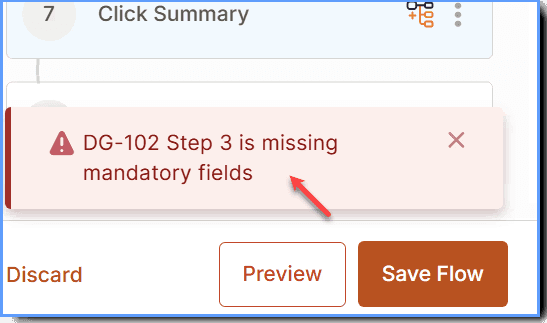
Error: DG-102 Step 3 is missing mandatory fields
Issue
When you try to preview or save a Flow, you see the following error message: DG-102: Step is missing mandatory fields. This error prevents you from saving or publishing the Flow.
Probable Cause
This issue occurs when your Flow contains draft steps that are incomplete or incompatible with recent system updates or configuration changes. As a result, the system identifies missing required information and displays the error. Incompatible drafts are a result of constant switching of the feature sequence at any point in time.
Suggested Solutions
- Clear the Draft(s): Remove any existing draft content and update the affected steps to ensure you complete all required fields before you publish the Flow.
- Re-create the Affected Step(s): If the issue persists, delete and recreate the step mentioned in the error. Re-create all the multiple steps if they are affected.
- Complete creating all mandatory fields before you save or preview the Flow.
- If the issue persists, contact support@whatfix.com.