Walkthrough
Use the Discovery Trigger in Walkthrough
Define Discovery Trigger rules to start the Walkthrough based on different criteria. Discovery Trigger has two components:
- Event
- Frequency
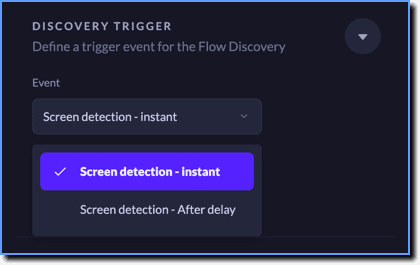
Event: Define the action that triggers the Walkthrough on the app screen.
| Event | Description |
|---|---|
| Screen detection - instant | Trigger the Walkthrough immediately as soon as Whatfix Mobile detects the screen. |
| Screen detection - After delay | Trigger the Walkthrough after a delay once Whatfix Mobile detects the screen. |
your title goes here
For the Screen detection - After delay event, the delay is set in seconds. 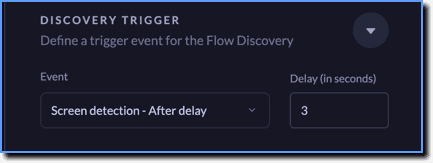
Frequency: Define how many times the Walkthrough needs to be shown.
| Frequency | Description |
|---|---|
| Play once in a life-time | Shows the Walkthrough only once. |
| In every session | Shows the Walkthrough every time the user opens the app. |
| In every session until dismissed by user | Shows the Walkthrough every time until the user closes it. |
| On Icon click | Shows the Walkthrough when the user clicks the icon on the app screen. |
| Every session until Flow complete | Shows the Walkthrough until the user completes it. |
your title goes here
The Discovery Trigger rules are also applicable to Walkthroughs added in Walkthrough Checklist and Walkthrough Menu.