Use Cases for publishing using Project ID
Launch a project using Notification
- Step 1: Generate the Project ID
- Step 2: Create a Cloud Notification
- Step 3: Launch Whatfix Mobile via notification
- Step 4: Run on your device
Generate the Project ID
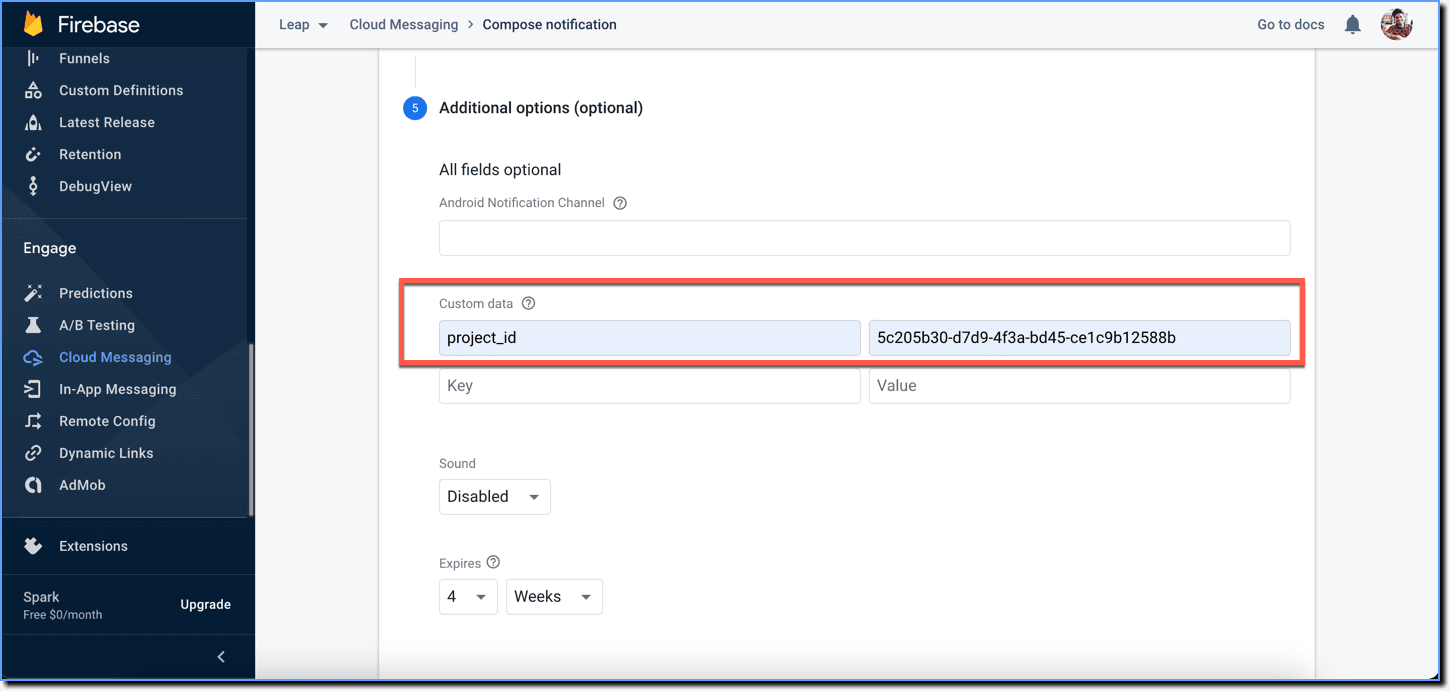
Generate the project_id of the project which you want to launch via a notification. For more information, see Publish using Project ID.
Ensure to send the correct project_id with the correct app version in the notification.
Create a Cloud Notification
For this example, consider a notification created using Firebase.
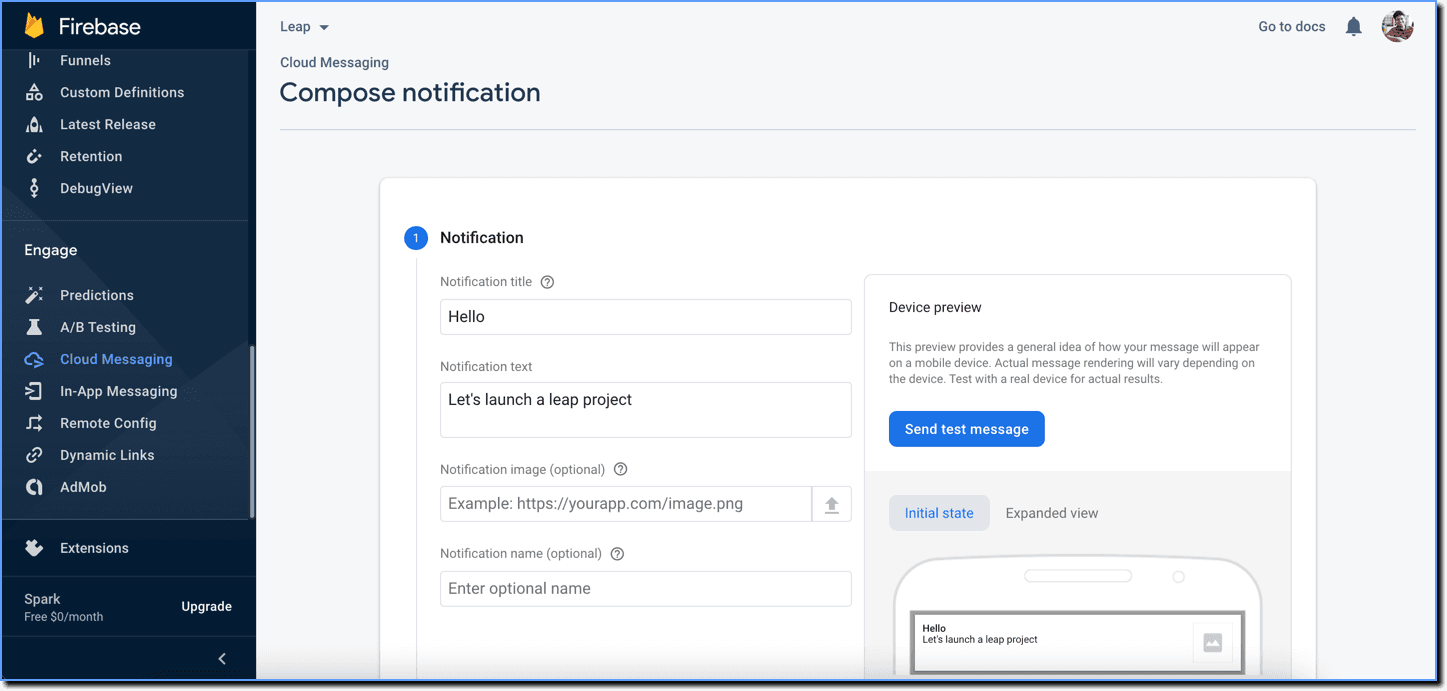
- Compose a notification.
- Add the Whatfix Mobile project ID.
Before publishing the notification, you need to add a code snippet in the Android project to launch the Whatfix Mobile project via the created notification.
Launch Whatfix Mobile via Notification
To launch the Whatfix Mobile project via notification, you have to process the project_id passed in the Firebase dashboard, inside your Android project.
- Process the Firebase data in your Firebase service class
Android
public class LeapFirebaseService extends FirebaseMessagingService {

   @Override
   public void onMessageReceived(RemoteMessage remoteMessage) {
        super.onMessageReceived(remoteMessage);

        RemoteMessage.Notification remoteNotification = remoteMessage.getNotification();
        if (remoteNotification != null) {

            //1. Receive the data from Firebase
            Map<String, String> data = remoteMessage.getData();
            String projectId = data.get("project_id");

            //2. Create an intent (with project_id data as extra) and specify the destination
            Intent intent = new Intent(this, DestinationActivity.class);
            intent.putExtra("project_id", projectId);

            //3. Since we are launching a notification, we need to create a PendingIntent
            PendingIntent pendingIntent = PendingIntent.getActivity(this,
                    REQUEST_CODE,
                    intent,
                    PendingIntent.FLAG_UPDATE_CURRENT);

            //4. Create a notification with the above created PendingIntent
            Notification notification = getNotification(this,
                    remoteNotification.getTitle(),
                    remoteNotification.getBody(),
                    "Launch",
                    pendingIntent); // "Launch" is the action button text

            //5. Let's launch the notification
            NotificationManager notificationManager = (NotificationManager) getSystemService(Context.NOTIFICATION_SERVICE);
            notificationManager.notify(NOTIFICATION_ID, notification);
        }
    }
    }
Swift
import UIKit
import Firebase
import FirebaseMessaging
import UserNotifications

func application(_ application: UIApplication, didFinishLaunchingWithOptions launchOptions: [UIApplication.LaunchOptionsKey: Any]?) -> Bool {
        // Override point for customization after application launch.

        FirebaseApp.configure()

        Messaging.messaging().delegate = self

        UNUserNotificationCenter.current().delegate = self

        let authOptions: UNAuthorizationOptions = [.alert, .badge, .sound]

        UNUserNotificationCenter.current().requestAuthorization(
                options: authOptions,
                completionHandler: { _, _ in }
            )

        application.registerForRemoteNotifications()

        return true
}- Launch the Whatfix Mobile project Launch the project in the destination screen using
Leap.embedProject(String project_id).
Android
class DestinationActivity extends Activity {

  @Override
  protected void onNewIntent(Intent intent) {
    super.onNewIntent(intent);

    //1. Since the intent destination was here, we will handle the received intent here
    if (intent != null && intent.hasExtra("project_id")) {

       //2. Get the project_id from intent
       String projectId = intent.getStringExtra("project_id");

       //3. Verify the project_id is not null or not empty
      if (projectId != null && !projectId.isEmpty()) {

        //4. Launch the project_id via Leap SDK's 'embedProject' method
        Leap.embedProject(projectId);
      }
    }
  }
}
Swift
func application(_ application: UIApplication, didReceiveRemoteNotification userInfo: [AnyHashable : Any]) {

          if let projectId = userInfo["projectId"] as? String {
          Leap.shared.embedProject(projectId)
        }
    }
Run on your device
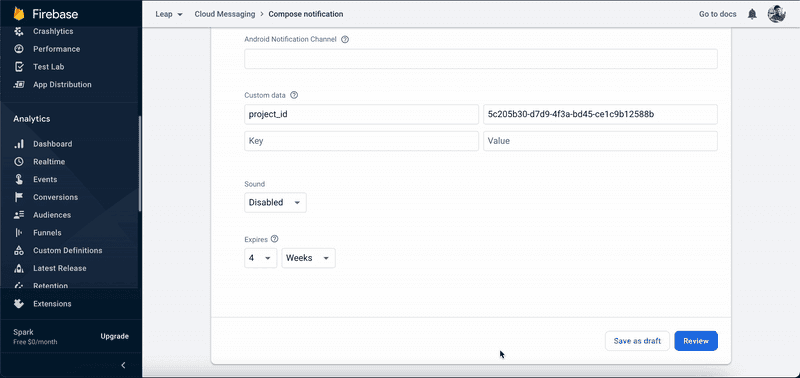
- Publish the notification
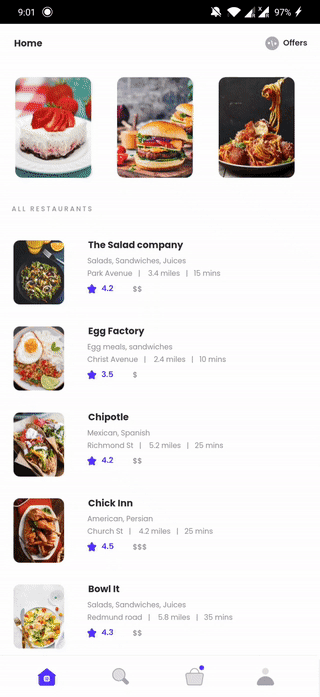
- Check your app When a notification comes up on your app, view the Whatfix Mobile content.
Android
iOS