Multi Format Outputs
SCORM package export
Whatfix Enterprise accounts have the ability to export Whatfix Flows as a SCORM package, which can then be used along with a Learning Management System (LMS).
- To enable SCORM export, contact support@whatfix.com.
- Enable either the SCORM package or the xAPI package for export, but not both.
- Whatfix supports SCORM 1.2 compliant LMS tools. For more information, see What LMS tools does Whatfix Support?
Here's a video that explains how to download an xAPI/SCORM package:
Use the following steps to export a SCORM package:
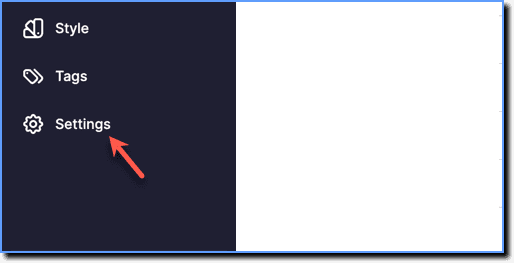
- On the Whatfix Guidance dashboard, click Settings.
- Click Flow exports.
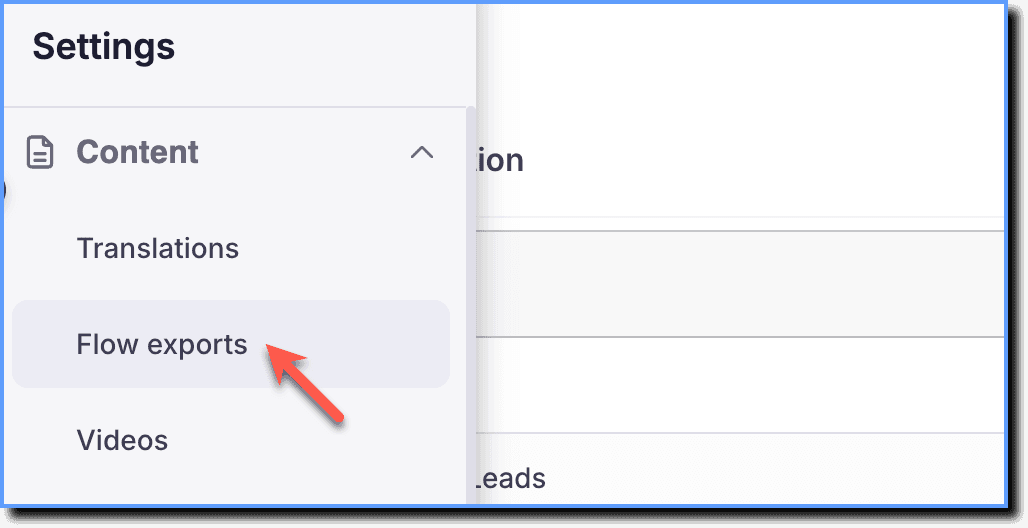
Only Flows that are in the Production stage can be exported as a SCORM package.
- Based on your requirements, choose:

- All flows: To export all the Flows in your dashboard. By default, the All flows option is selected.
- by tag: Enter and select the tags associated with the Flows that you want to export.
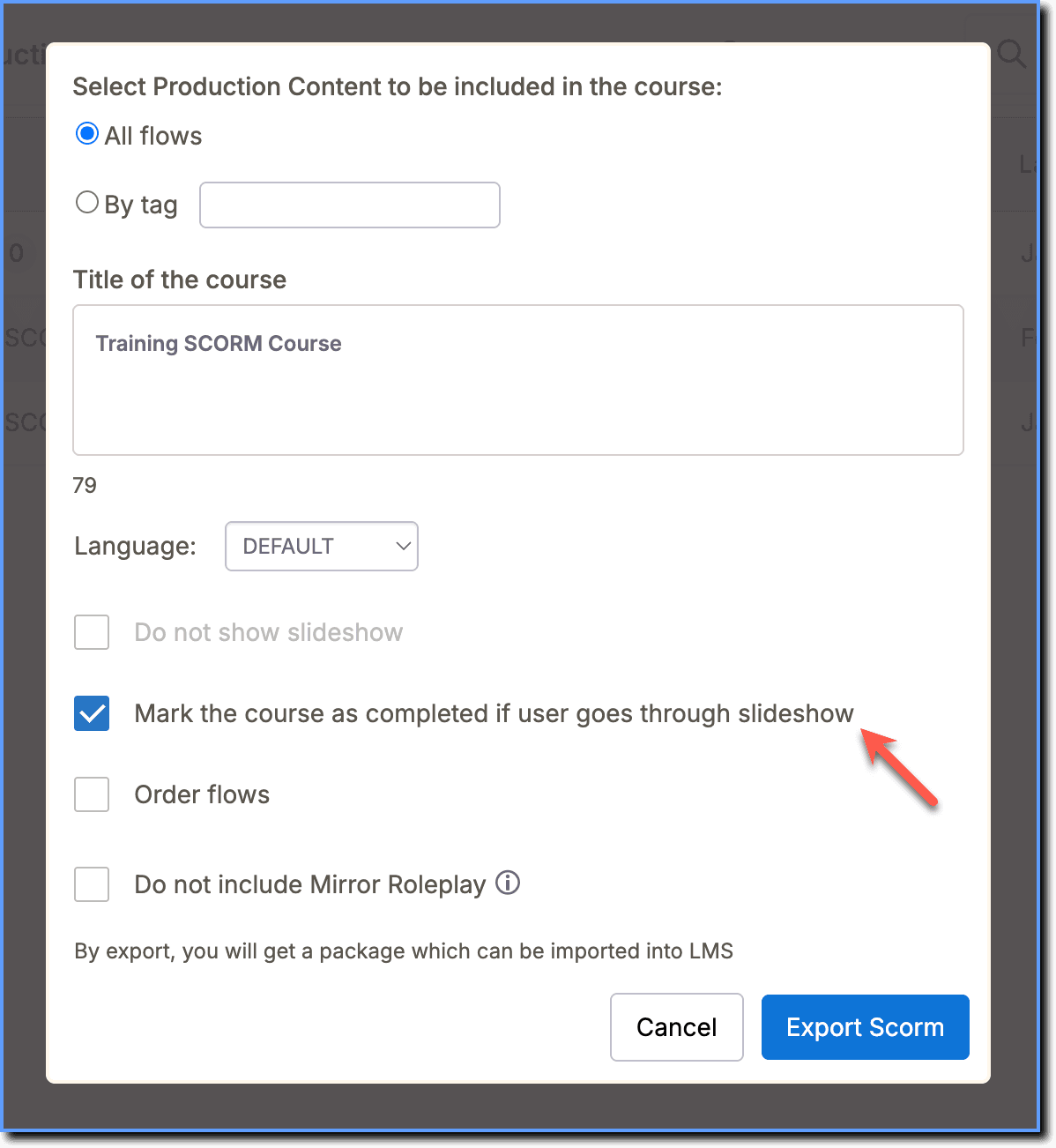
- Enter the Title of the course, and then click Export Scorm.
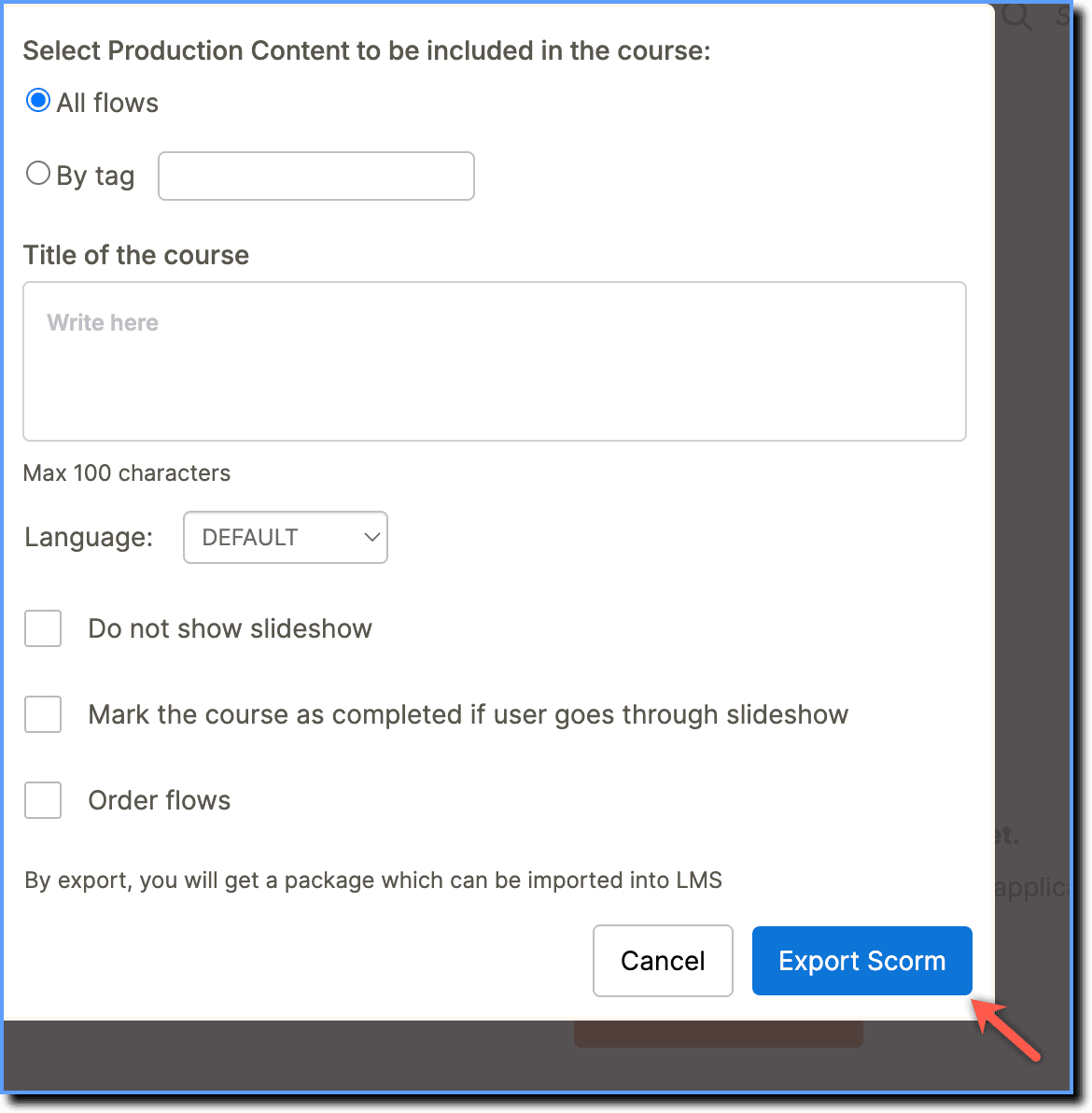
Use the following options to customize the SCORM export:
- Select Do not show slideshow to display the Flows as a see-live experience to your end users.
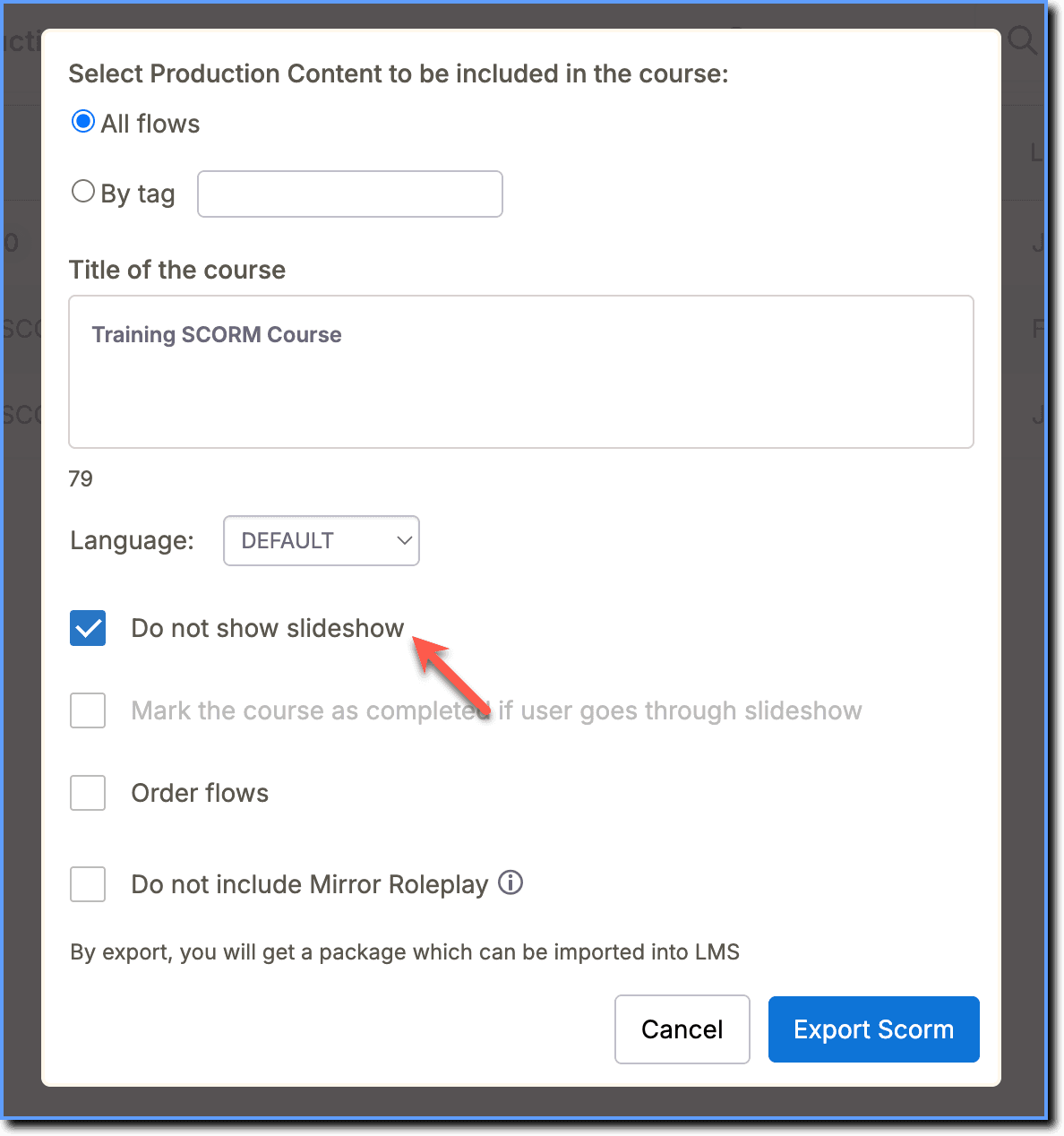
- Select Mark the course as completed if the user goes through slideshow to display the Flow as done only if the user completes the slideshow.
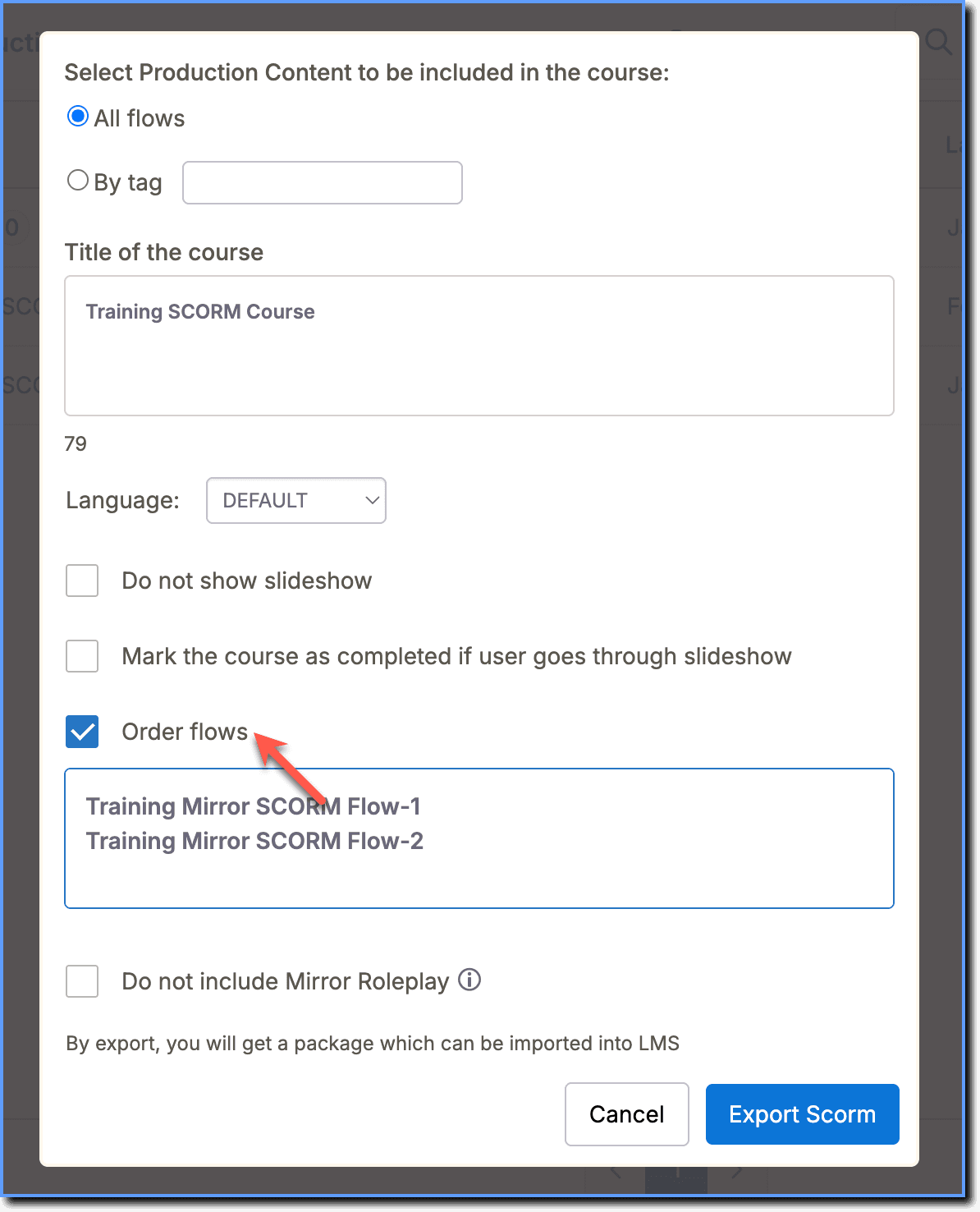
- Select Order flows to change the order of appearance of the Flows to your end users. Rearrange each Flow by title based on your requirements.
- Click Download.
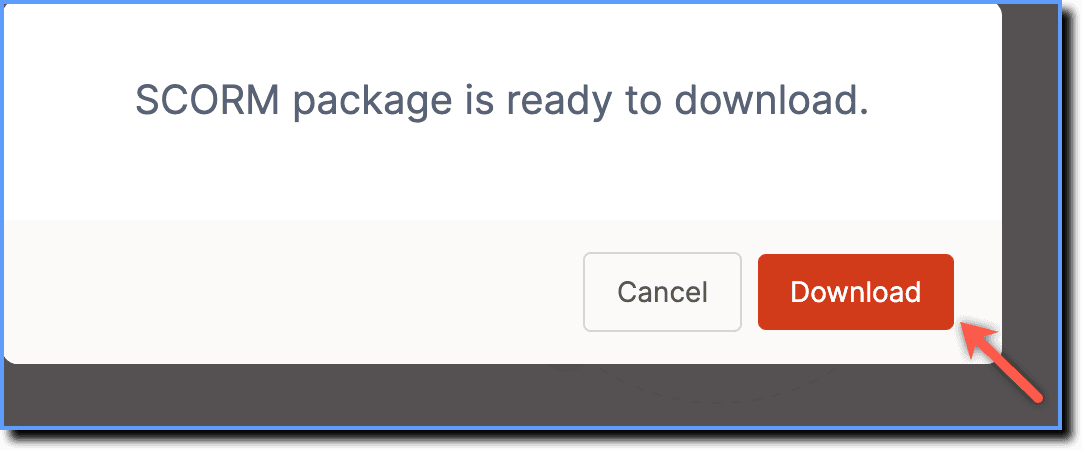
- A .zip file containing all your Flows is automatically downloaded to your local drive.
- You might need to rearrange your topics after the export is completed.
The following example displays how a Flow appears post-integration with the SCORM compliant LMS platform, Moodle: 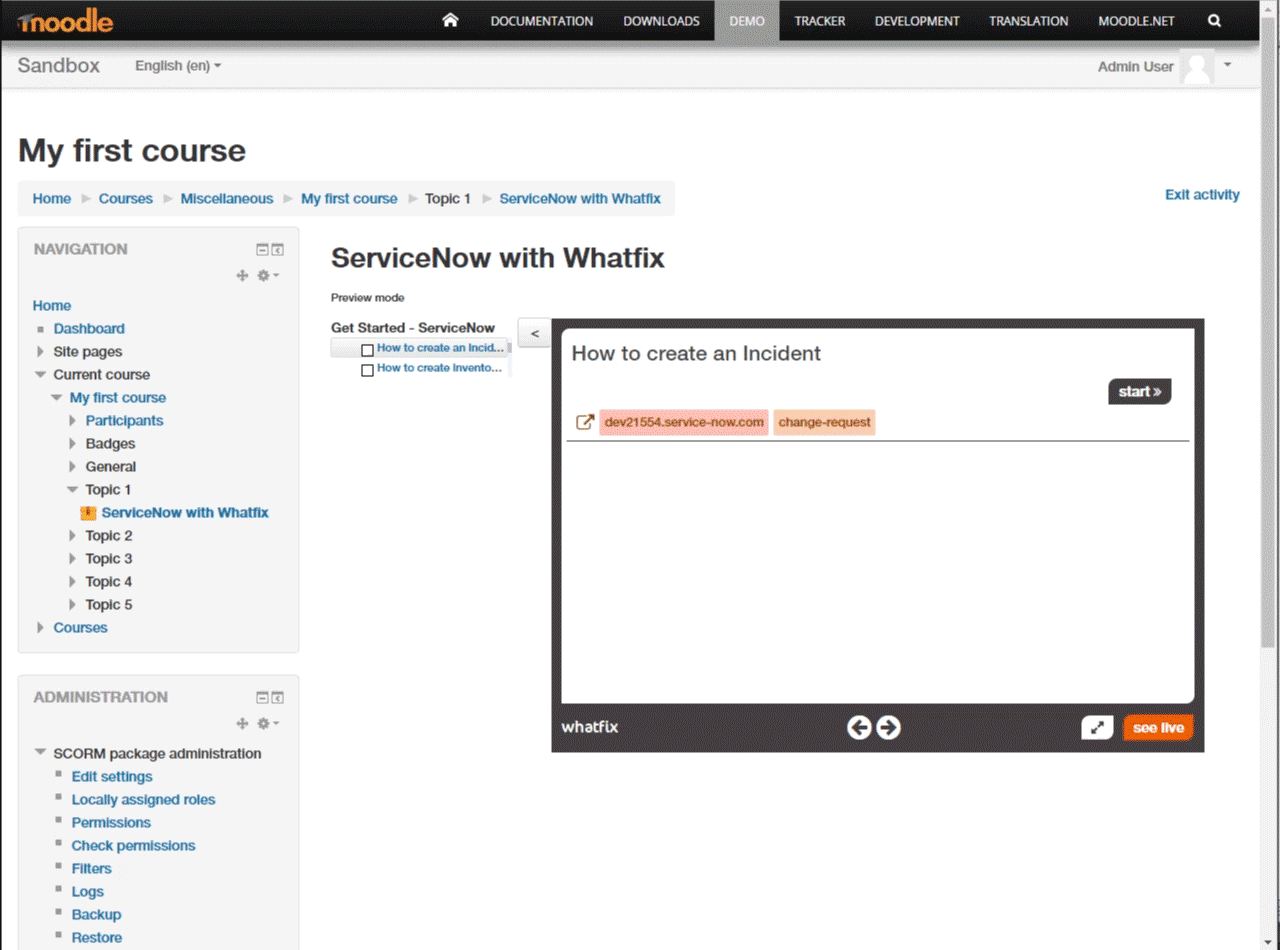
- Whatfix enables you to translate your exported Flows to other languages. With SCORM multi-language support, the SCORM package checks the browser language settings where the LMS runs and shows content in that language.
- If the exported Flows are not translated, then the content appears in the default language.