Surveys
How do I extend the duration of an existing Survey?
You may need to extend the duration of a Survey to collect more responses or reopen it for users who may have missed it.
To extend the duration of a Survey, unpublish the Survey, change the New Visibility Rules, and then republish it to production.
Use the following steps to extend the duration of a Survey:
-
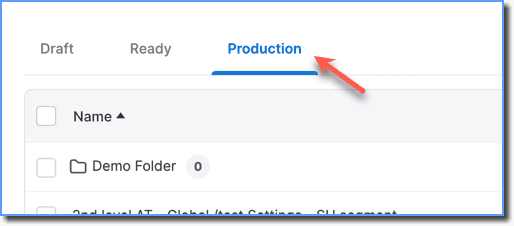
On the Whatfix Guidance Dashboard, go to the Production stage.
-
Select the Survey.

-
Click Unpublish.

-
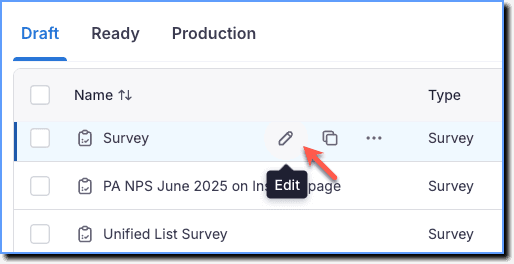
Go to the Draft stage and Edit the Survey.
-
Click Set Visibility Rules.

-
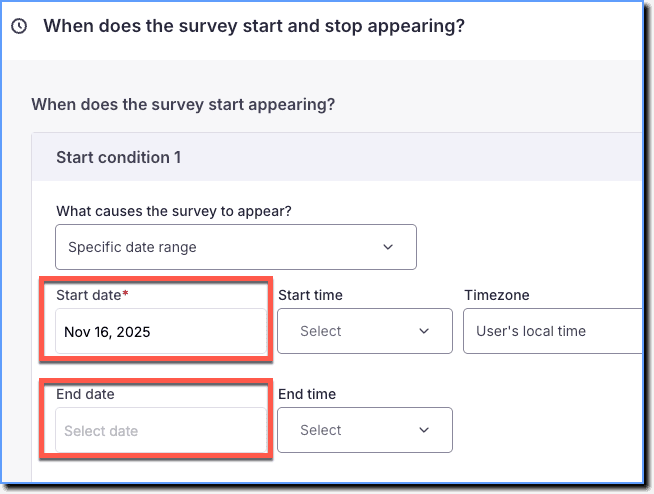
Modify the Start date and End date as per your requirements.
-
Click Save.

-
Publish the Survey to Production.
- You cannot perform an Edit in Draft for a Survey.
- Unpublishing does not delete previously submitted results.
- After you unpublish and republish the Survey, users who have already submitted responses do not see the Survey again.
For more information, see Create Survey.