User Management
Change my password
Changing your password is a critical step to protecting your account and personal information from unauthorized access.
Note:
Change your password only if you remember your current password. If you don't remember your current password, see Reset my password.
Use the following steps to change your password:
-
On the Whatfix dashboard, click the Profile icon.

-
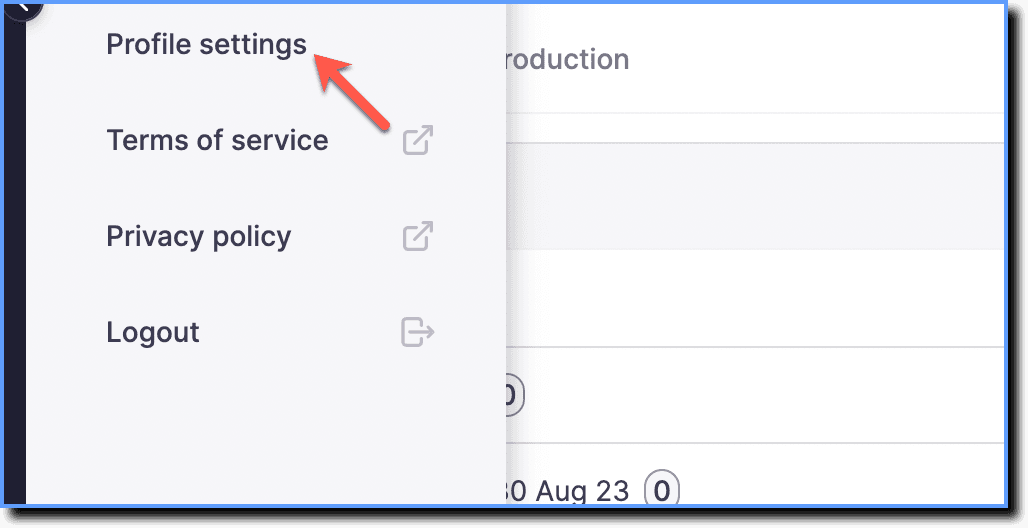
Click Profile settings.
-
Click Password.

-
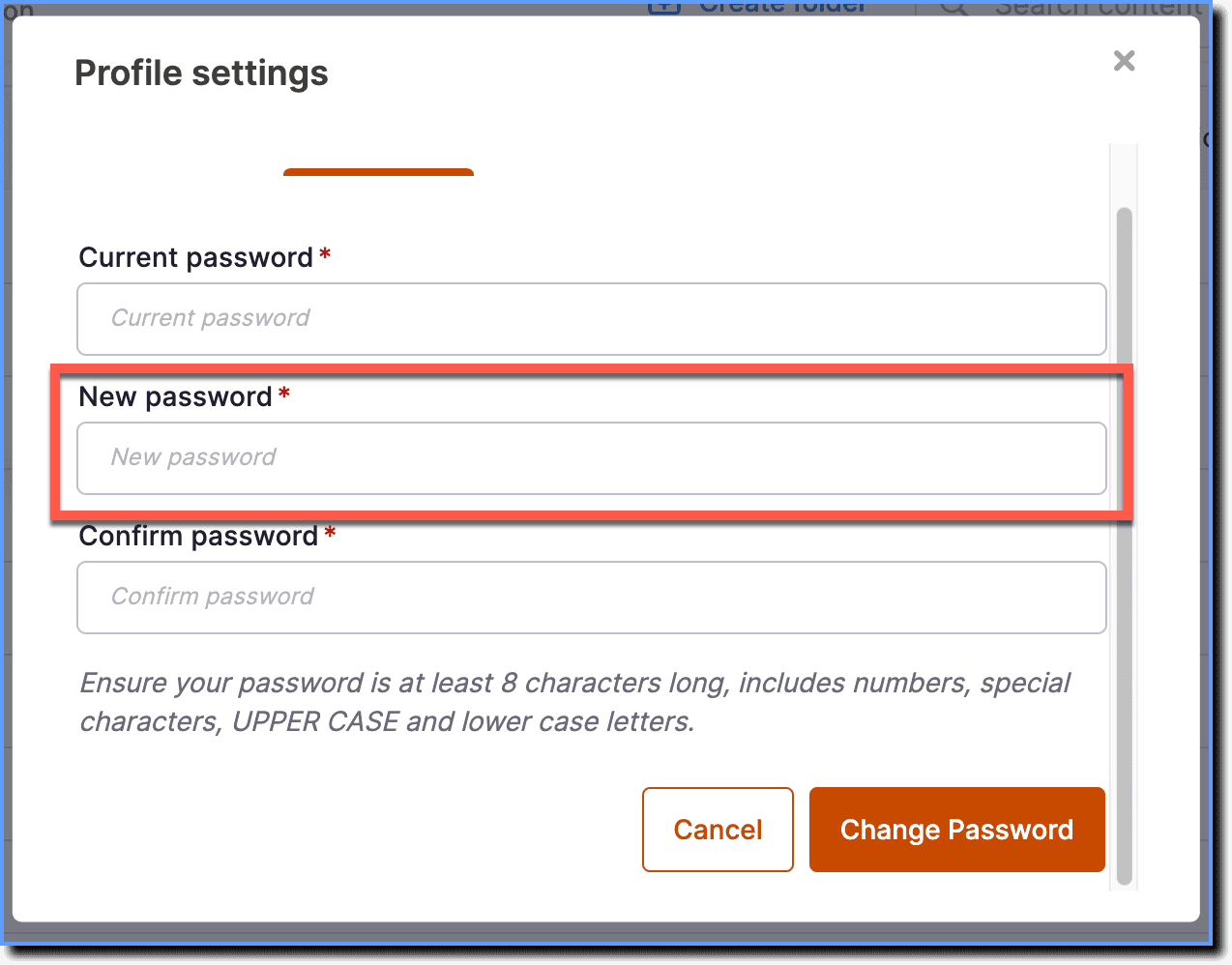
Enter the Current password.

-
Enter the New password.
-
Re-enter the new password under Confirm Password.

-
Click Change Password.
