Security and Compatibility
Break Glass and Temporary Access
When Single Sign-on (SSO) is enabled, access to the Whatfix Dashboard depends entirely on the organization’s Identity Provider (IdP). If the IdP is unavailable, the SSO certificate expires, or a sync error deprovisions the user accounts, you can be locked out with no way to recover access.
To prevent this, Break Glass and Temporary Access ensure business continuity by providing backup access during IdP-related authentication failures. In such situations, Break Glass Users can sign in using password-based login to access the dashboard.
How does Break Glass Users (BGU) work in Whatfix?
Enterprises that have SSO enabled can configure a Break Glass User (BGU) as a fallback login option.
- When you access the Whatfix login page, you typically sign in using SSO. However, in scenarios where the Identity Provider (IdP) is unavailable or SSO fails, the Break Glass User enables you to log in using Whatfix credentials.
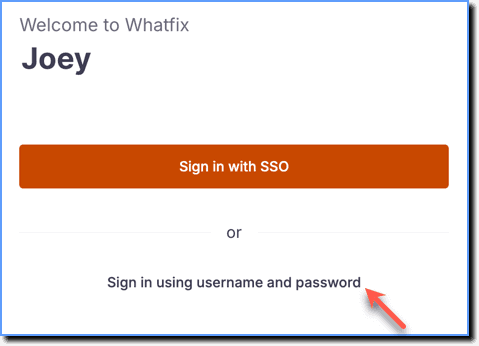
- When you choose to log in using Break Glass User option, you are prompted to enter the configured Whatfix credentials instead of being redirected to the IdP. After entering the credentials, you are verified and redirected to your Whatfix account.
Expand the following accordions for more details:
Set up Break Glass Users (BGU) configuration using the Whatfix dashboard
Use the following steps to enable Break Glass Users (BGU):
- Only an Account Manager can perform the following task. For more information about available roles, see Whatfix User Roles.
- Ensure that you enable SSO using the dashboard. For more information, see how to enable Single Sign-on using the Whatfix Dashboard.
- On the Whatfix Guidance dashboard, click Settings.
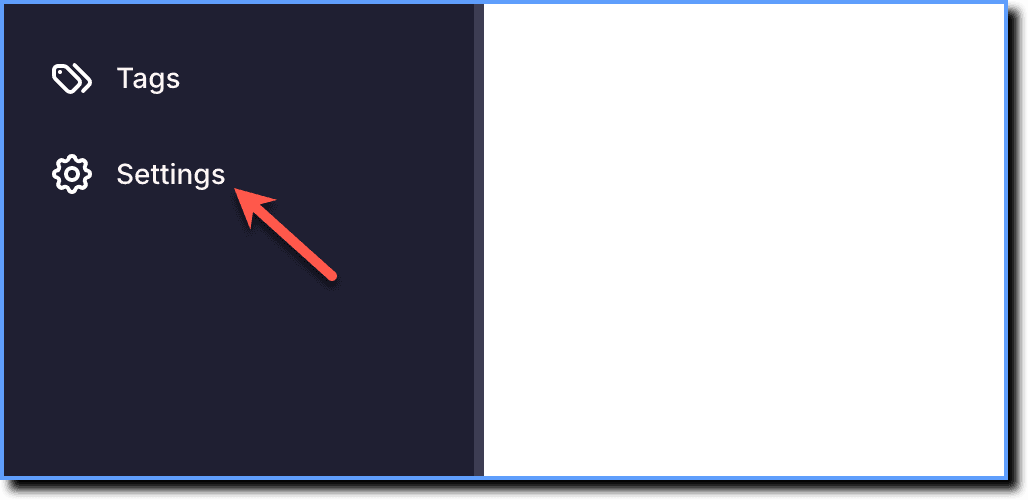
- Click SSO and a****uthentication.
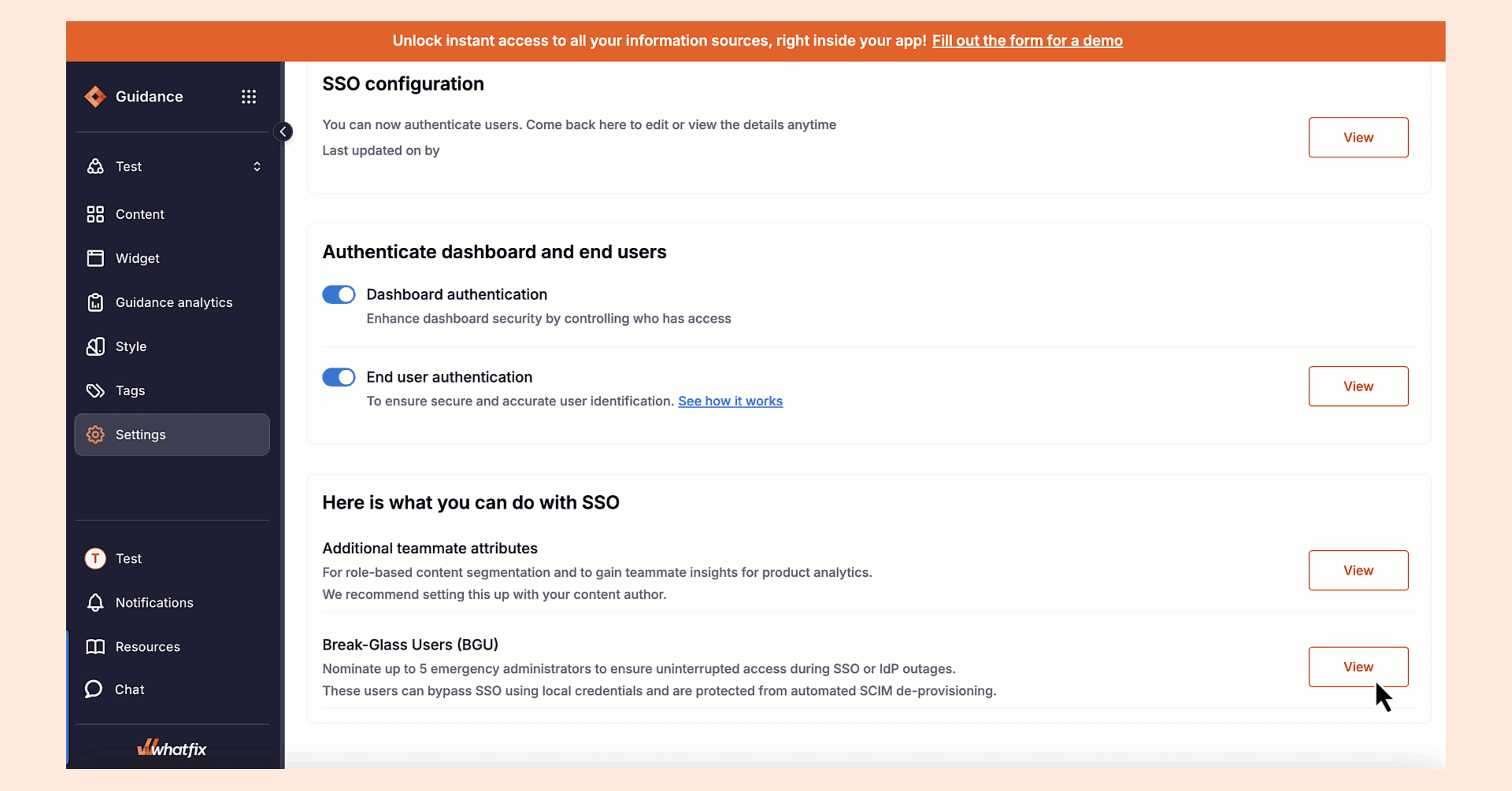
 3. Under the Here is what you can do with the SSO section, go to the Break-Glass Users (BGU) section, and then click Setup.
 4. Select the teammate you want to add as a Break Glass User (BGU).
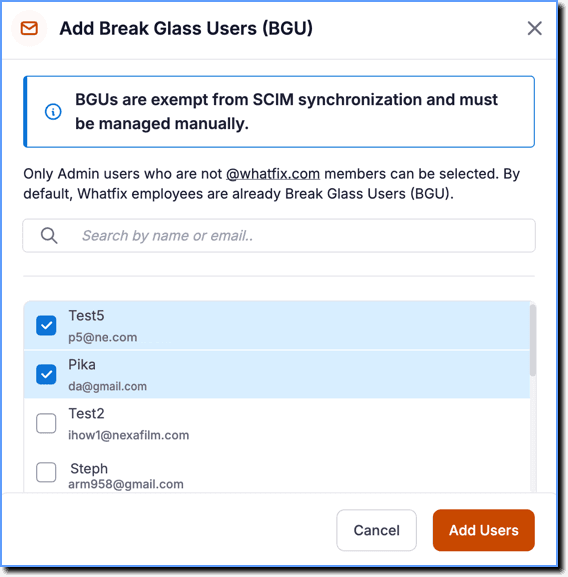
- You can add up to 5 Account Managers only.
- Ensure the teammate’s email domain is whitelisted before sending an invite. To add other domains, contact support@whatfix.com.
- Click Add Users.
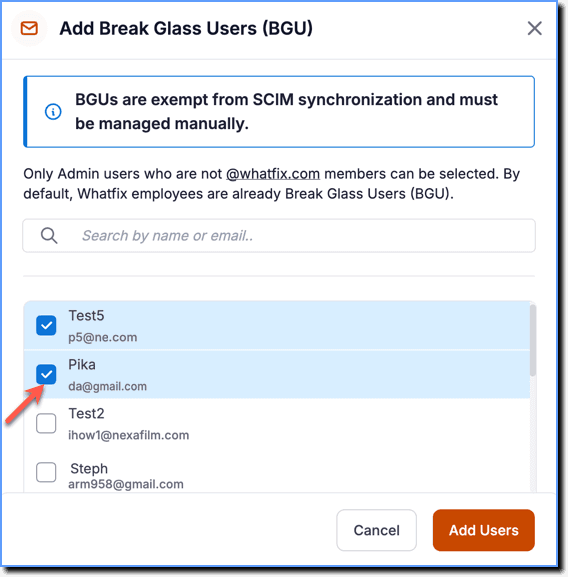
The user is added as a Break Glass User (BGU).
- Whenever a Break Glass User (BGU) is added, they receive an email invitation to set up their password that they can use to login in case of emergencies such as when SSO is unavailable. The invitation link remains valid for 24 hours. If it expires, send a new invitation by re-inviting them on the Whatfix Dashboard.
- To add more users as a BGU, on the Whatfix Dashboard, click View, and then click Edit to update users.
Add an existing Teammate as a Break Glass User (BGU)
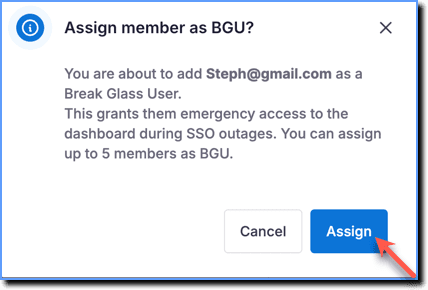
A Break Glass User (BGU) is a user who can access the dashboard during emergencies, such as when SSO is unavailable. You can assign up to five members as BGUs.
Use the following steps to add an existing Teammate as a Break Glass User (BGU):
-
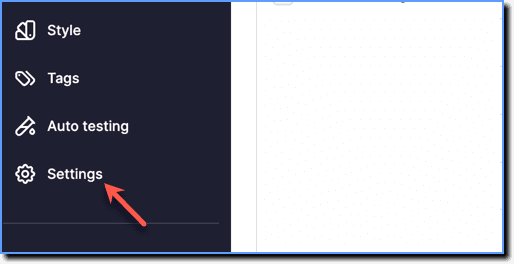
On the Whatfix Guidance dashboard, click Settings.
-
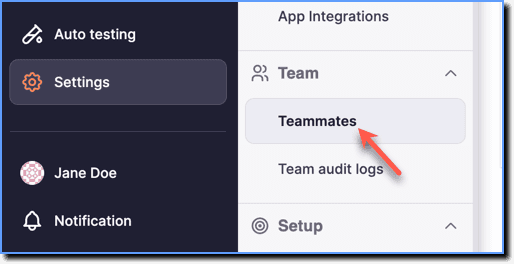
Click Teammates.
-
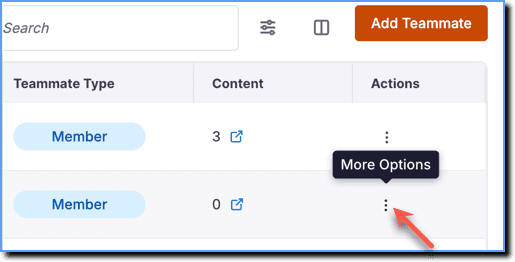
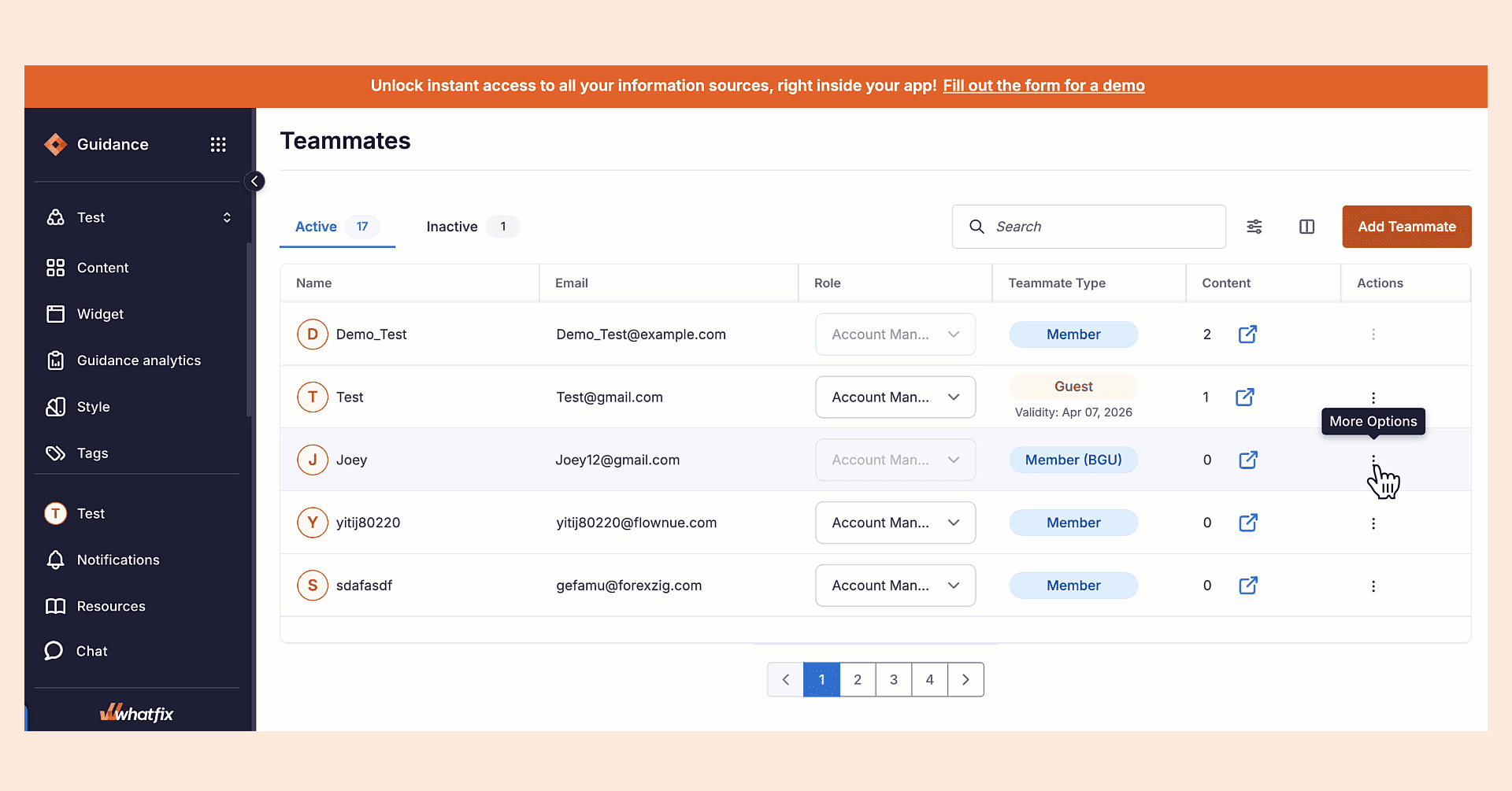
Go to the teammate whose account you want to add as Break Glass User (BGU).

-
Click the More Options icon.
-
Click Add as BGU.
 4. Click Assign.
- You cannot change role, delete or mark a Break Glass User (BGU) as Inactive.
- To perform these actions, click Remove as BGU to remove the user’s BGU access. You can then proceed to delete the user or mark them as inactive.
Single Sign-on is a user authentication method that allows users to log in to multiple applications and websites with one set of credentials.
The Whatfix Dashboard is where you can perform the following actions:
- Access all content that has been created by users in your organization.
- Access and manage content widgets like Self Help, Pop-ups, Smart tips, Beacons, and Task List
- Manage users
- Manage tags
- Access Analytics
- Manage translations
- Manage Tip or Flow configurations
An Identity Provider (IdP) is an authority system that holds and verifies the user authentication information. Whatfix interacts with your IdP and trusts the information provided by the IdP to gain access to the application. Whatfix supports the following identity providers: Okta, Azure Active Directory, or any identity provider compliant with SAML 2.0 that works with Whatfix SSO.
A Break Glass User (BGU) is a user who can access the dashboard during emergencies, such as when SSO is unavailable.