Custom Repository
Repository Integration Status Report
The Repository Integration Status Report gives you information about every integration that Whatfix performs with your content repository.
Note
Apart from the status report on the dashboard, Whatfix also sends email notifications after a successful or failed integration.
Use Cases
You can access the status report for one or more of the following:
- Check whether your newly added repository content was crawled by Whatfix or not.
For example, if you have added a new article at 21:00 on a Monday and the repository was crawled on the same day. Then, you can check the integration duration in the report to ensure if the new article was crawled or not.
- See what were the articles that were updated, deleted, or crawled in a particular sync up session.
- Track and update the articles that Whatfix failed to crawl from your repository.
Access the Repository Integration Status Report
Use the following steps to access the Repository Integration Status Report:
-
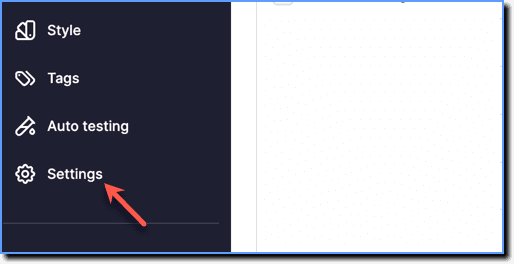
On the Whatfix Guidance dashboard, click Settings.
-
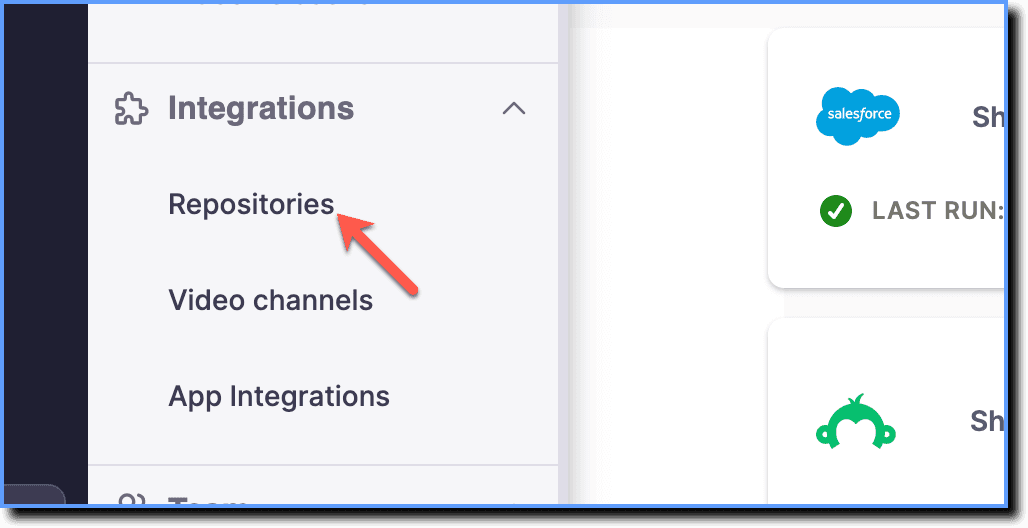
Click Repositories.
-
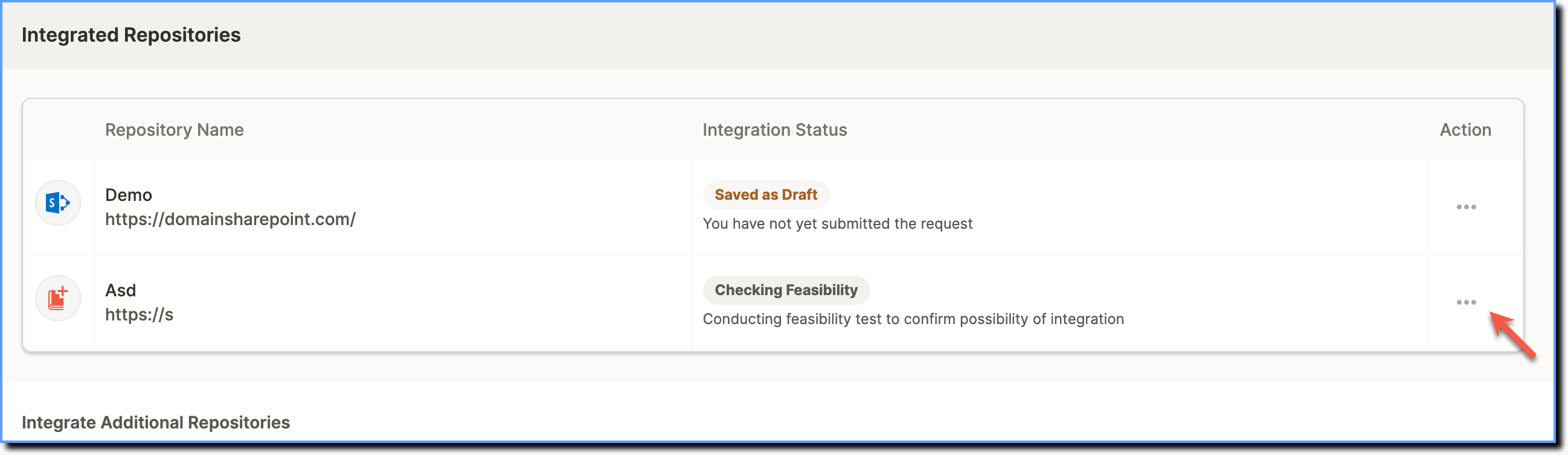
Under Integrated Repositories, Go to the repository for which you want to view the status, and then click the more icon.
-
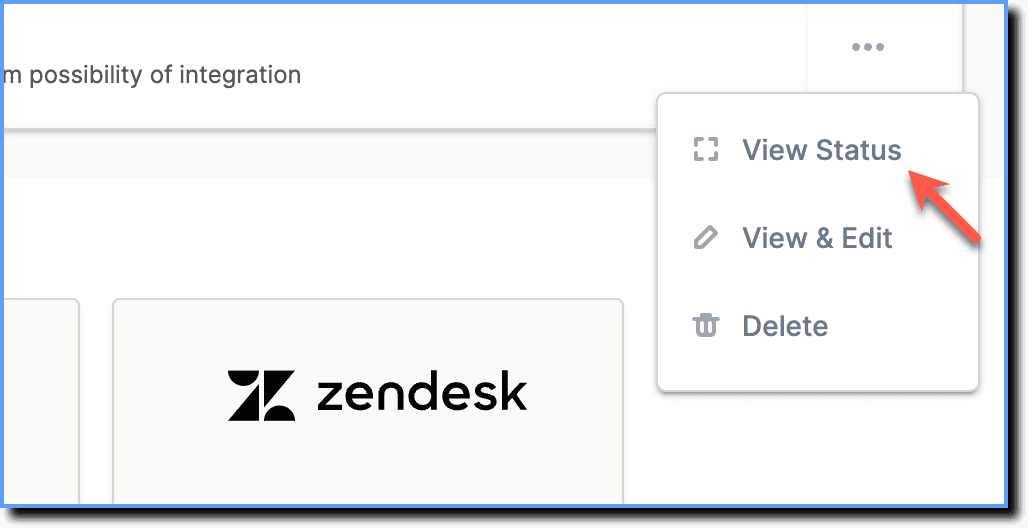
Click View Status.
Note
To access the integration status of the content repository at an article level, click the Detailed analysis report button. 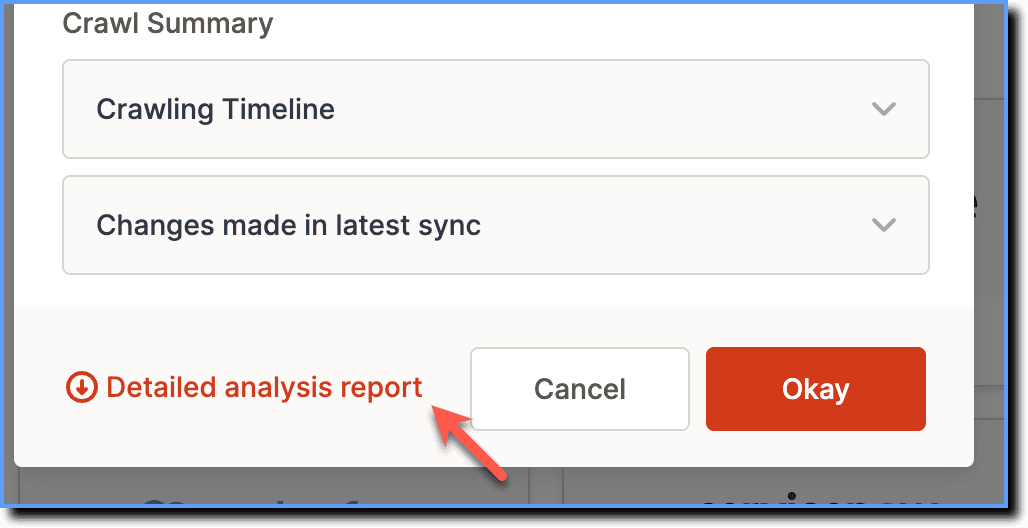
The status report provides the following data:
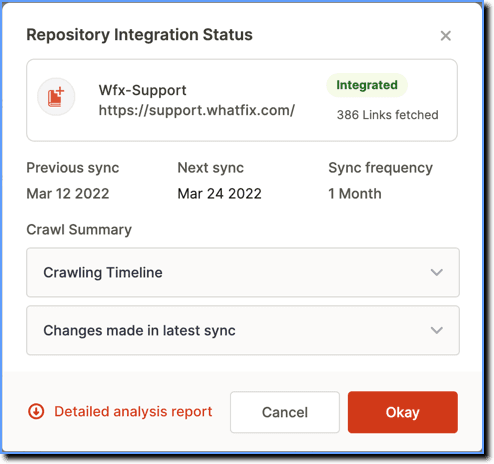
- Previous sync: Lists when the last crawl happened.
- Next sync: Lists when the next crawl is scheduled.
- Sync frequency: Lists how often the sync is run for the repository.
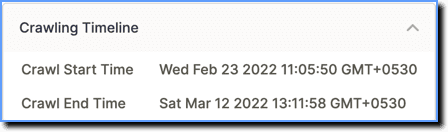
- Crawling Timeline: Lists the crawl duration of the last session.
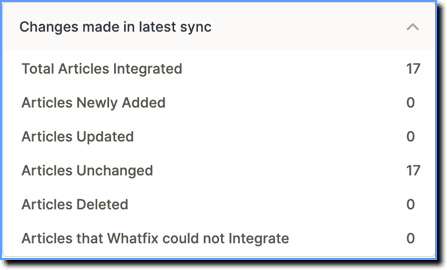
- Changes made in latest sync: Lists the changes made in the integration during the crawling session.
- Download Report: The button enables you to download a detailed integration status report of the content repository at a link level.