Flows - Whatfix Desktop
Create a copy of a Flow
There may be occasions where you may want to quickly copy an existing Flow and modify the copied flow to address a different need.
Use the following steps to create a copy of a Flow:
-
On the Whatfix Guidance dashboard, click Content.

-
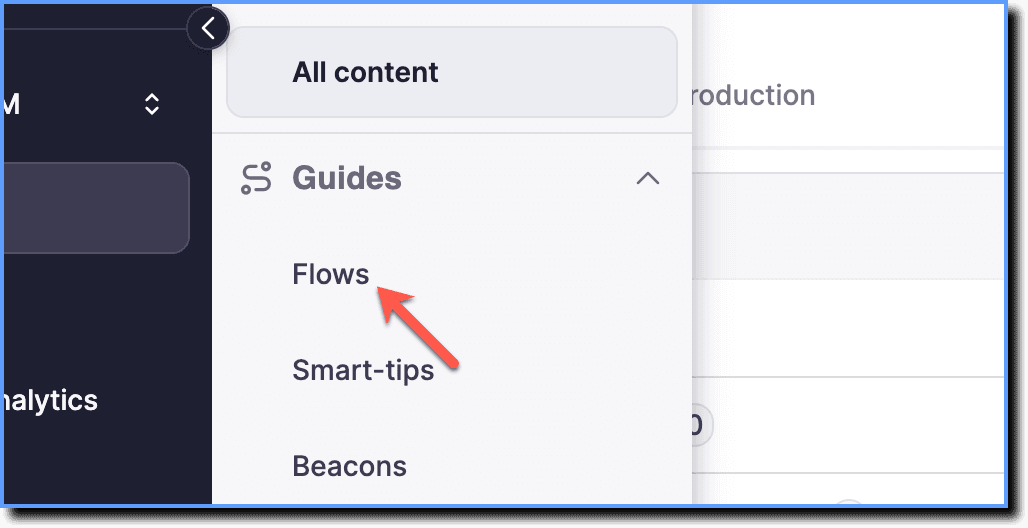
Click Flows.
-
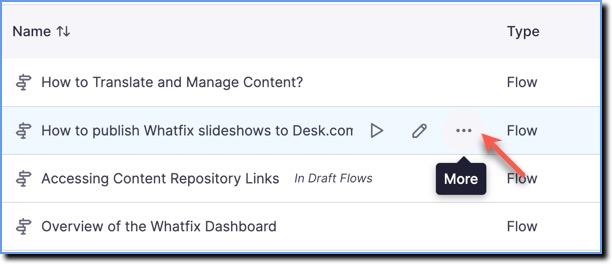
Hover your cursor over the Flow you want to copy, and then click the More icon.
-
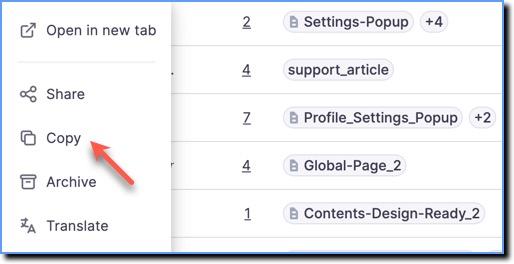
Click Copy.
your title goes here
The copy of the Flow appears with title Copy of < Flow Title > in All content. You also have the option to rename the copy of the new Flow.
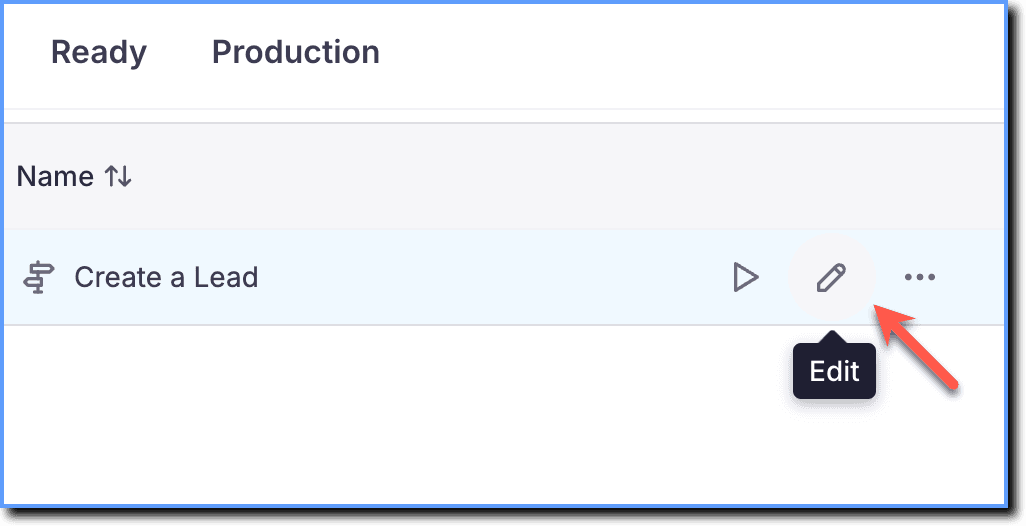
- Hover your cursor over the copied Flow and click the Edit icon to change the Flow title. Modify or delete the steps of the Flow.
your title goes here
The steps that are modified or deleted in the copied Flow has no impact on the original Flow.