Beacons - Whatfix Desktop
Refresh a Beacon
Beacons are configured to expire after a certain period of time. Once the set count or the time duration is complete, the beacon no longer appears. However, if you want a Beacon to reappear to your end-users, you can refresh the segment.
For example, you might want to make a Beacon appear every time there is a release. In that case, you can configure the Beacon to appear with every release by refreshing the segment. This saves the Content Creator's time to create a Beacon segment every time there is a release.
Note:
When the Beacon is refreshed, it appears to all users of the segment, including those who have already interacted with it.
Use the following steps to refresh a Beacon segment:
-
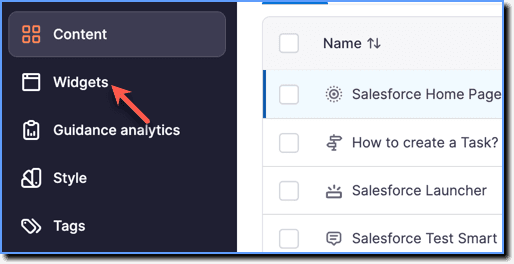
On the Whatfix Guidance dashboard, click Widgets.
-
Click Beacons.

-
Hover your cursor over the Beacon segment you want to refresh, and then, click the Refresh icon.

-
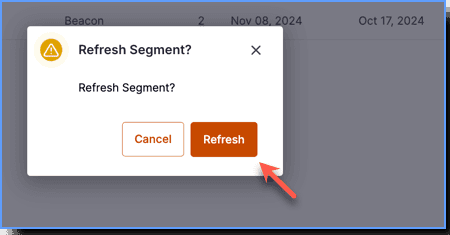
In the confirmation pop-up, click Refresh.