User Management - Whatfix Desktop
Whatfix User Roles
The first user role which is created in an enterprise automatically becomes the Account Manager (admin).
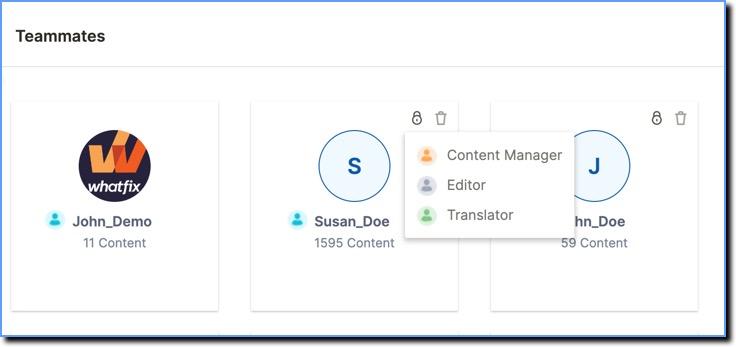
An Account Manager can invite other users and define their roles from the Users section on the Whatfix Dashboard. The Users section lists all the registered users in the account.
Responsibilities specific to each role

Comparative view of accessibility or permissions each role has
The following table lists the permissions associated with each type of user role:
Info
- Whatfix Content includes Flows, Articles, Links, Images, Videos and PDFs.
- Whatfix Widgets include Pop ups, Self Help, Task Lists, Beacons, Smart Tips, and Surveys.
- Editors can only perform the following actions on their own content.
| Permission | Translator | Editor | Content Manager | Account Manager |
|---|---|---|---|---|
| Auto Translate or Translate Content | Yes | No | Yes | Yes |
| Create Whatfix Content | No | Yes | Yes | Yes |
| Create User Actions | No | Yes | Yes | Yes |
| Delete Self-Created Content | No | Yes | Yes | Yes |
| Edit or Delete Self-Created Tags | No | Yes | Yes | Yes |
| Get Flow Failure Notification | No | Yes | Yes | Yes |
| Move Content or Widgets from Draft to Ready Stage | No | Yes | Yes | Yes |
| Move Content or Widgets back from Ready to Draft Stage | No | Yes | Yes | Yes |
| Preview Mode | No | Yes | Yes | Yes |
| Access Analytics Dashboard | No | Yes | Yes | Yes |
| View Archived content | No | Yes | Yes | Yes |
| Archive content | No | Yes | Yes | Yes |
| Bulk archive content | No | Yes | Yes | Yes |
| Restore Archived content | No | Yes | Yes | Yes |
| Delete Archived content | No | Yes | Yes | Yes |
| Copy Archived content | No | Yes | Yes | Yes |
| Access Widgets | No | No | Yes | Yes |
| Access Advanced Customization | No | No | Yes | Yes |
| Analytics Dashboard - Domain Filter | No | No | Yes | Yes |
| Change Themes | No | No | Yes | Yes |
| Configure Voiceovers | No | No | Yes | Yes |
| Create Whatfix Widgets | No | No | Yes | Yes |
| Create Insights | No | No | Yes | Yes |
| Create Cohorts | No | No | Yes | Yes |
| Create Dashboards | No | No | Yes | Yes |
| Edit or Delete Others' Tags | No | No | Yes | Yes |
| Edit or Delete Other Users' Content | No | No | Yes | Yes |
| Export Flows | No | No | Yes | Yes |
| Export Language Files | No | No | Yes | Yes |
| View Archived widgets | No | No | Yes | Yes |
| Archive widgets | No | No | Yes | Yes |
| Bulk archive widgets | No | No | Yes | Yes |
| Restore Archived widgets | No | No | Yes | Yes |
| Delete Archived widgets | No | No | Yes | Yes |
| Copy Archived widgets | No | No | Yes | Yes |
| Add or Invite Users | No | No | No | Yes |
| Add or Delete Languages | No | No | No | Yes |
| App Integrations | No | No | No | Yes |
| Change User Role | No | No | No | Yes |
| Delete a User | No | No | No | Yes |
| Move Content or Widgets from the Ready Stage to the Production Stage | No | No | No | Yes |
| Manage Desktop Version | No | No | No | Yes |
| Move Content or Widgets back from the Production Stage to the Draft Stage | No | No | No | Yes |
| Refresh Beacons | No | No | No | Yes |
| Repository Integration | No | No | No | Yes |
| Set Up Google Analytics | No | No | No | Yes |