Schedule Insight reports
How can you remove a recipient from a reporting Schedule in Product Analytics?
Whatfix enables you to remove a recipient from the reporting Schedule you’ve created. You may want to remove a recipient from the Schedule if they’re not part of the organization anymore or if they don’t want to be sent any reports.
Currently, Whatfix enables you to schedule only Trend Insight reports.
Use the following steps to remove a recipient from the reporting Schedule:
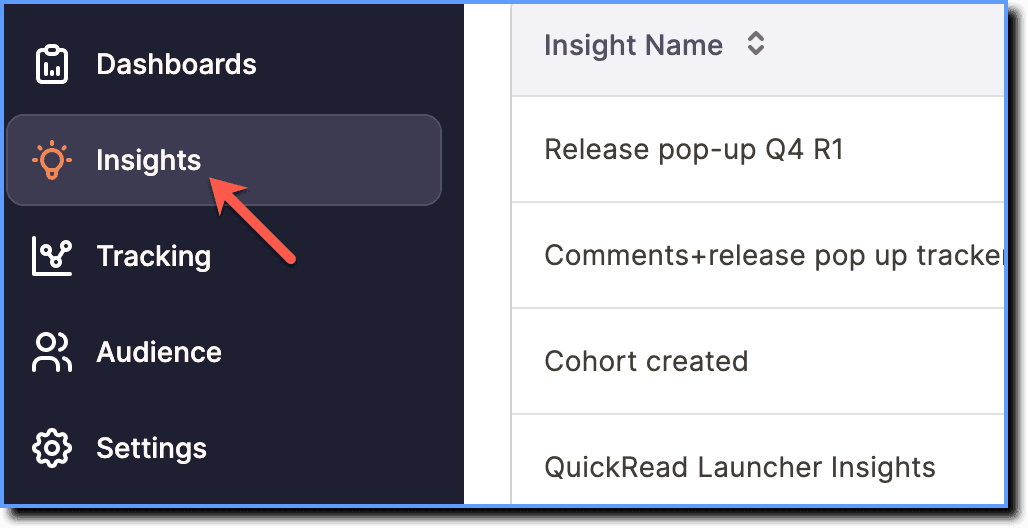
- On the Whatfix Analytics dashboard, click Insights.
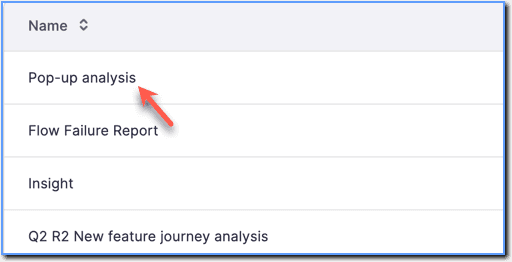
- Click the Trend Insight for which you want to edit the Schedule.
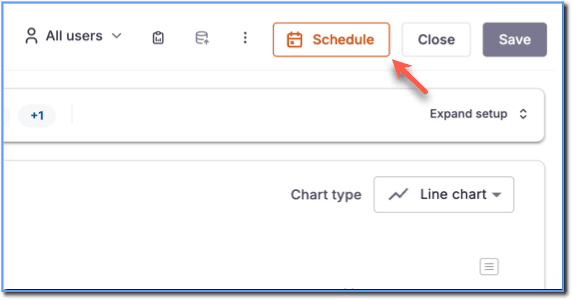
 2. Click Schedule.
 3. Click the existing Schedule.
 4. Under Recipients, hover your cursor over the email ID of the recipient you want to remove, and then click the Clear icon.
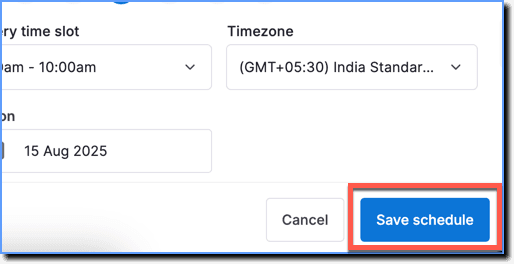
 5. Click Save schedule.
- The recipient is removed and they don’t receive the report.
- If you have the recipient added to more than one Schedule for a particular Trend Insight report, removing the recipient from one Schedule does not impact the other Schedules.