OneDrive Integration
Integrate Specific Content from OneDrive Repository
Integrate specific content from your OneDrive Repository using Selective Crawling. Fetch content from specific folders or spaces from OneDrive.
your title goes here
- Whatfix can crawl any content that is inside the folder My Files.
- Crawl content from any level of the folder.
Selectively crawl content from OneDrive
- Provide the Repository and Integration details to integrate OneDrive. For more information about providing the required details, see Integrating OneDrive Repository.
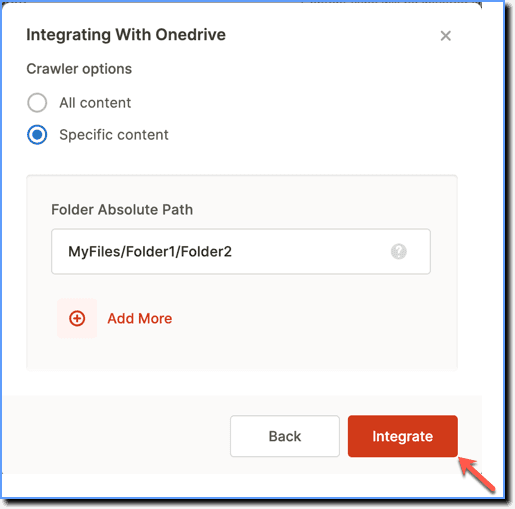
- Under the Crawler settings, select Specific content.

Note
The Crawler Settings provide the following options to choose from: All content: This option fetches all content from OneDrive. Specific content: This option enables you to provide the folder path you want to fetch the content from.
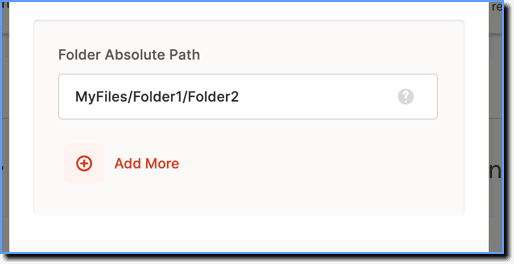
- In the Folder Absolute Path section, enter the folder path details separated by a slash (/), from where you want to crawl the content.
For example, if you want to crawl content from subfolder1 which is inside the folder1, then enter "folder1/subfolder1".
your title goes here
You can add more folder paths using the Add More button.
- Click Integrate.