Whatfix Analytics
Use the Domain Filter in Analytics
The domain filter helps you filter and analyze Whatfix content usage data at a domain level. For example, if you have Whatfix content in a non-production environment and don't want to include analytics from such environments, then filter your results by domain or static IP address.
Note:
Domain filters are saved for each user. So if a filter is applied, it remains applied even after you have logged out and logged back in.
Operations associated with the filters:
- The Include filters function like an OR operator.
- The Exclude filters function like an AND operator.
- The CLEAR FILTERS option clears ALL specified filters.
Use the following process to apply filters:
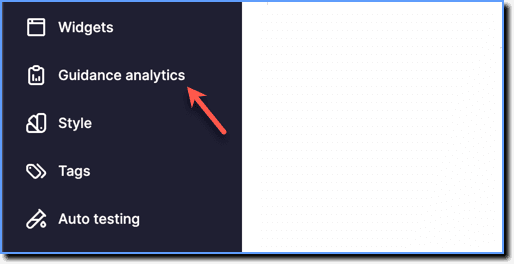
- On the Whatfix Guidance dashboard, click Guidance analytics.
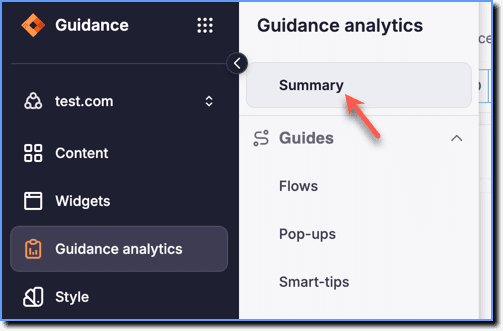
 2. Click Summary.
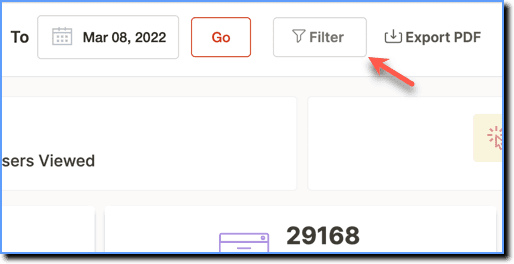
- At the top of the page, click Filter.
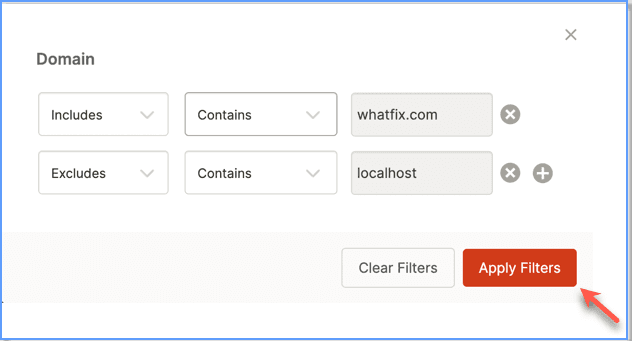
- In the dialog box, enter the domain where you want to include or exclude the data. Use the plus icon to add multiple domains.
Note:
When entering the URL, use only the domain name. Do not use the protocol, for example, http, https. For example, in this URL, https://demo.com, enter only demo.com.
Info:
- Use the Excludes option to prevent any data from certain domains. Typically used to exclude data from test environments (for example, uat.test.com, sandbox.test.com, and more.)
- Use the Includes option if you know exactly the domains from where you want to see the data.
Note:
Use a static IP address in place of domains to filter analytics data. 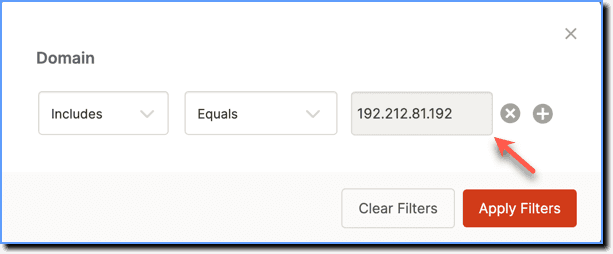
- Click Apply Filters.