OneDrive Integration
Integrate Specific Content from OneDrive Repository
Integrate specific content from your OneDrive Repository using Selective Crawling and fetch content from specific folders or spaces from OneDrive.
- Whatfix can crawl any content that is inside the folder, My Files.
- Whatfix enables you to set up the integration to crawl content from any level of the folder.
Selectively crawl content from OneDrive
- Provide the Repository and Integration details to integrate OneDrive. For more information about providing the required details, see Integrating One Drive Repository
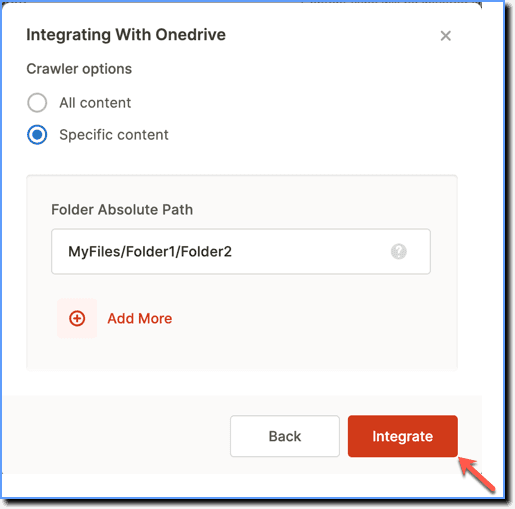
- Under the Crawler settings, choose Specific content.

The Crawler Settings provide the following options to choose from: All content: This option fetches all content from OneDrive. Specific content: This option enables you to provide the folder path you want to fetch the content from.
- In the Folder Absolute Path section, enter the folder path details separated by a slash (/), from where you want to crawl the content. For example, if you want to crawl content from subfolder1 which is inside the folder1, then enter "folder1/subfolder1".
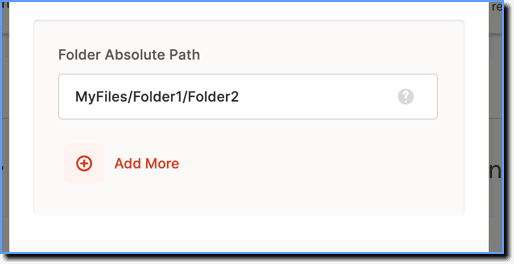
Click Add More to add more folder paths.
- Click Integrate.