User Action
Delete a User Action
User Actions enable tracking of end-user engagement within your application. You might want to delete a User Action if capturing engagement data for a particular interaction is no longer necessary.
User Actions can also be associated in the following ways:
- Used as Visibility Rules for all widget segments
- Mapped as a Goal in Flows
- Used as a Flow trigger
- Added as part of a Funnel
Deleting a User Action removes it from the widget segments, Flows, and the linked Funnel.
Delete a single User Action
Use the following steps to delete a User Action:
-
On the Whatfix Analytics dashboard, click Tracking.

-
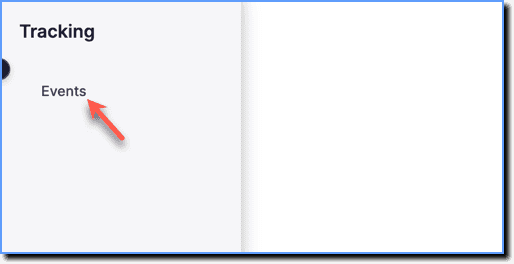
Click Events.
-
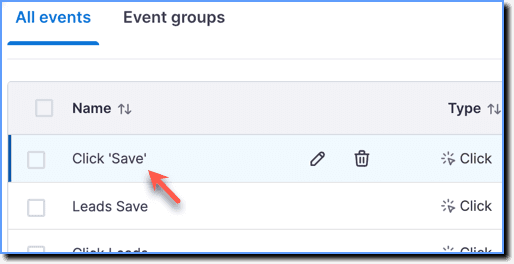
Under the All events section, hover your cursor over the User Action that you want to delete.
-
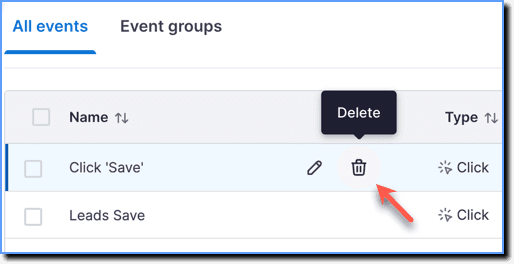
Click the Delete icon.
-
In the dialog box, click Delete User Action.
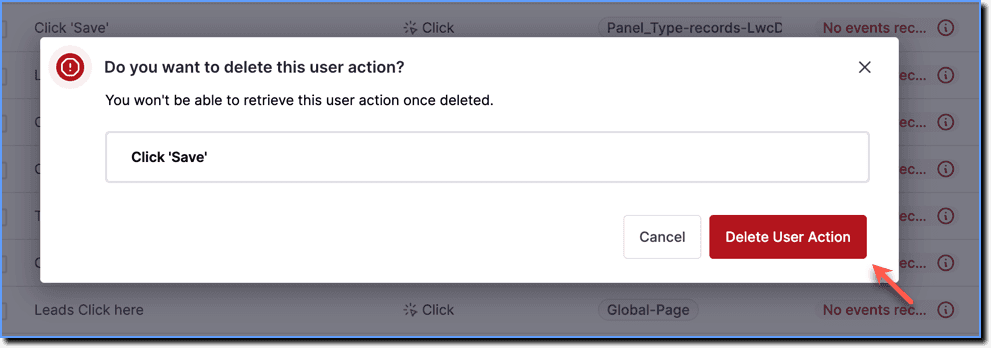
If the User Action you want to delete is linked to any Whatfix content or Funnel, the dialog box shows you the linked content. Deleting the User Action removes it from the linked content. 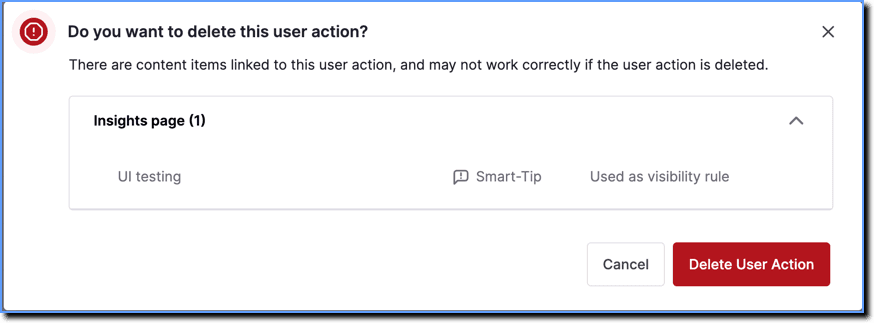
- Deleted User Actions may continue capturing data until a publish action is performed.
To ensure that deleted User Actions stop capturing data:
- Make a change that requires publishing, such as pushing other content or widgets to Production, creating a new User Action, or editing an existing User Action.
- Click Publish all to publish these changes. For more information, see Publish User Actions and Push all Whatfix content and widgets to Production. The publish action ensures that the deleted User Action is fully removed from the application, and no further data is collected.
- Perform a push to Production to remove the User Action from the application.
Delete multiple User Actions
Use the following steps to delete multiple User Actions:
-
On the Whatfix Analytics dashboard, click Tracking.
-
Click Events.
-
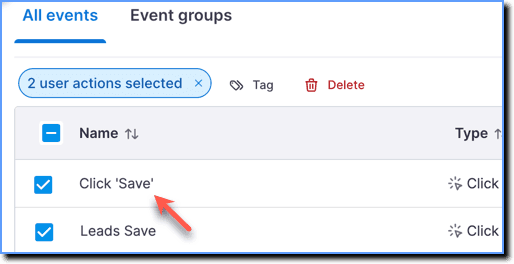
Under the All events section, select the User Actions that you want to delete.
-
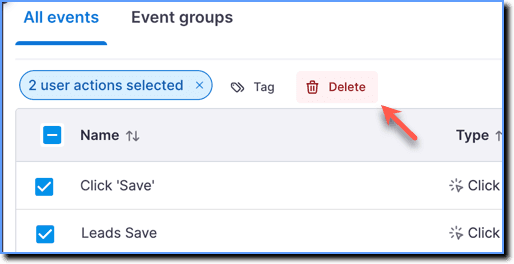
Click Delete.
-
In the dialog box, click Delete User Actions.
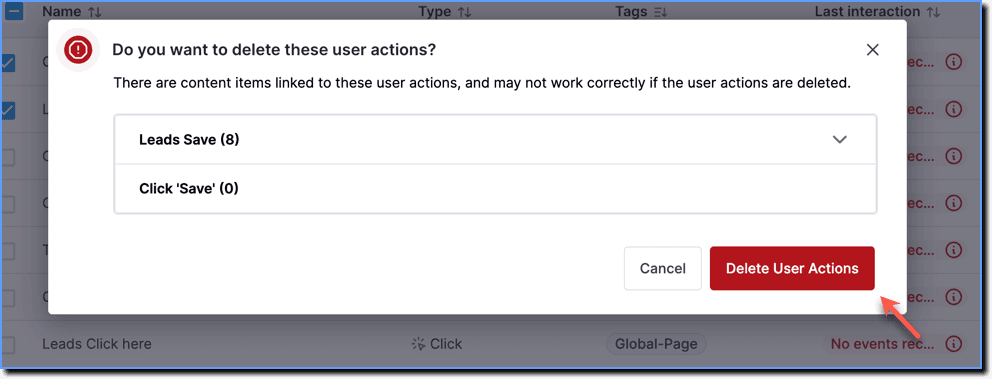
If the User Actions you want to delete are linked to any Whatfix content or Funnel, the dialog box shows you the linked content. Deleting the selected User Actions removes them from the linked content. 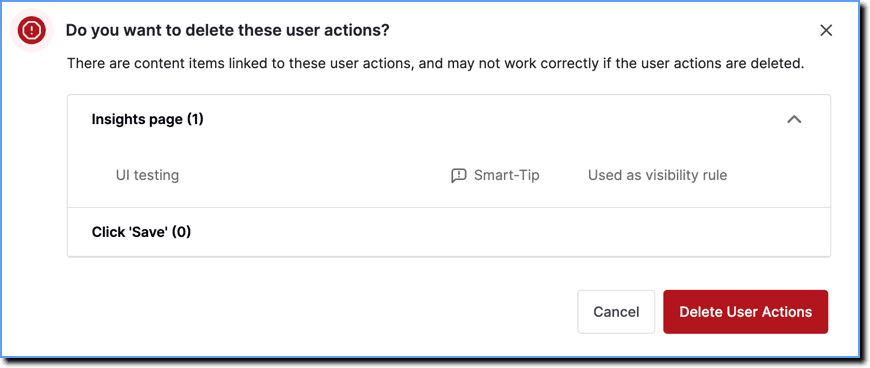
- Deleted User Actions may continue capturing data until a publish action is performed.
To ensure that deleted User Actions stop capturing data:
- Make a change that requires publishing, such as pushing other content or widgets to Production, creating a new User Action, or editing an existing User Action.
- Click Publish all to publish these changes. For more information, see Publish User Actions and Push all Whatfix content and widgets to Production. The publish action ensures that the deleted User Action is fully removed from the application, and no further data is collected.
- Perform a push to Production to remove the User Actions from the application.